1 Virtual Mailbox (1)
00 Virtual Mailbox

Virtual Mailbox

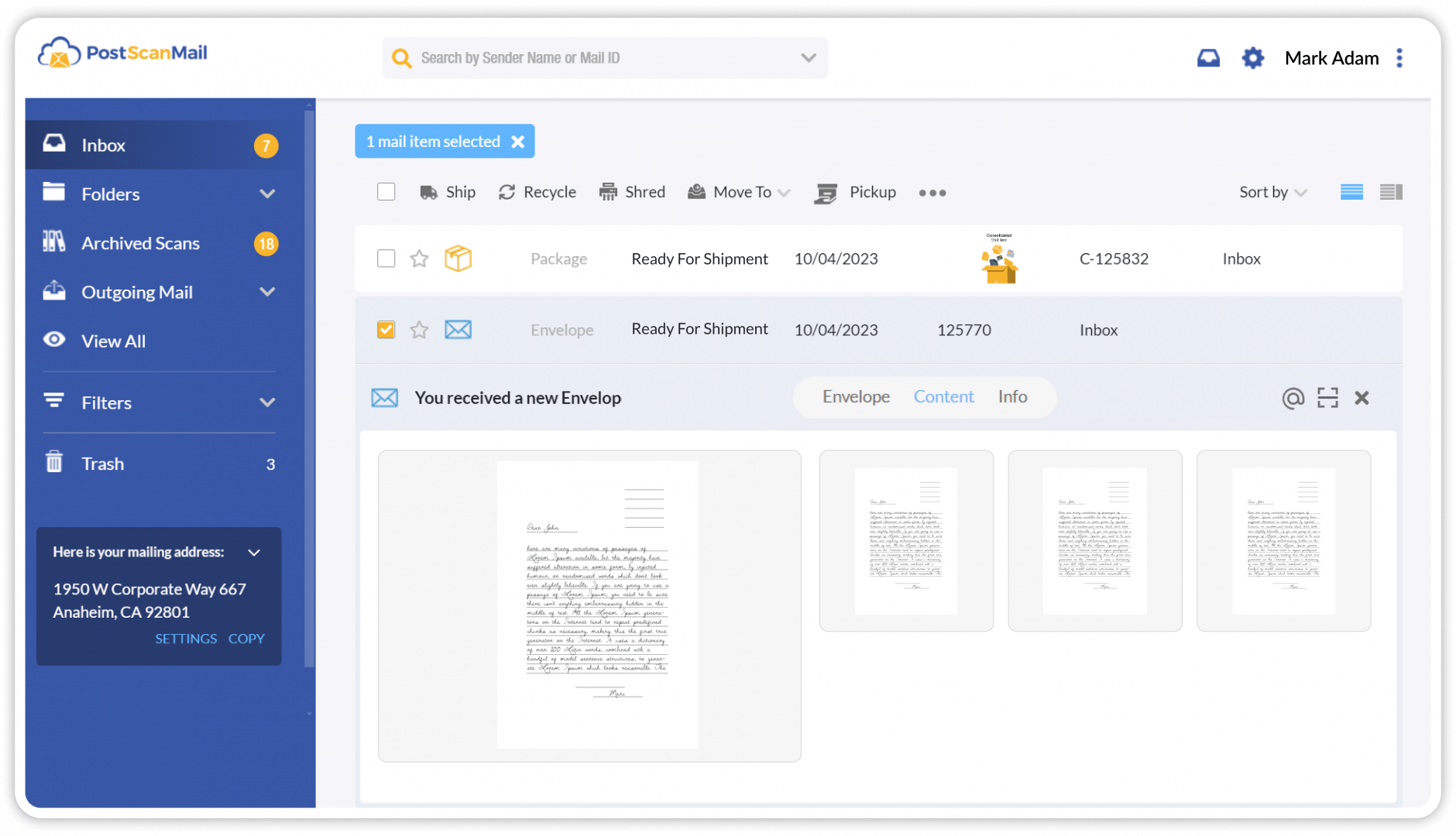
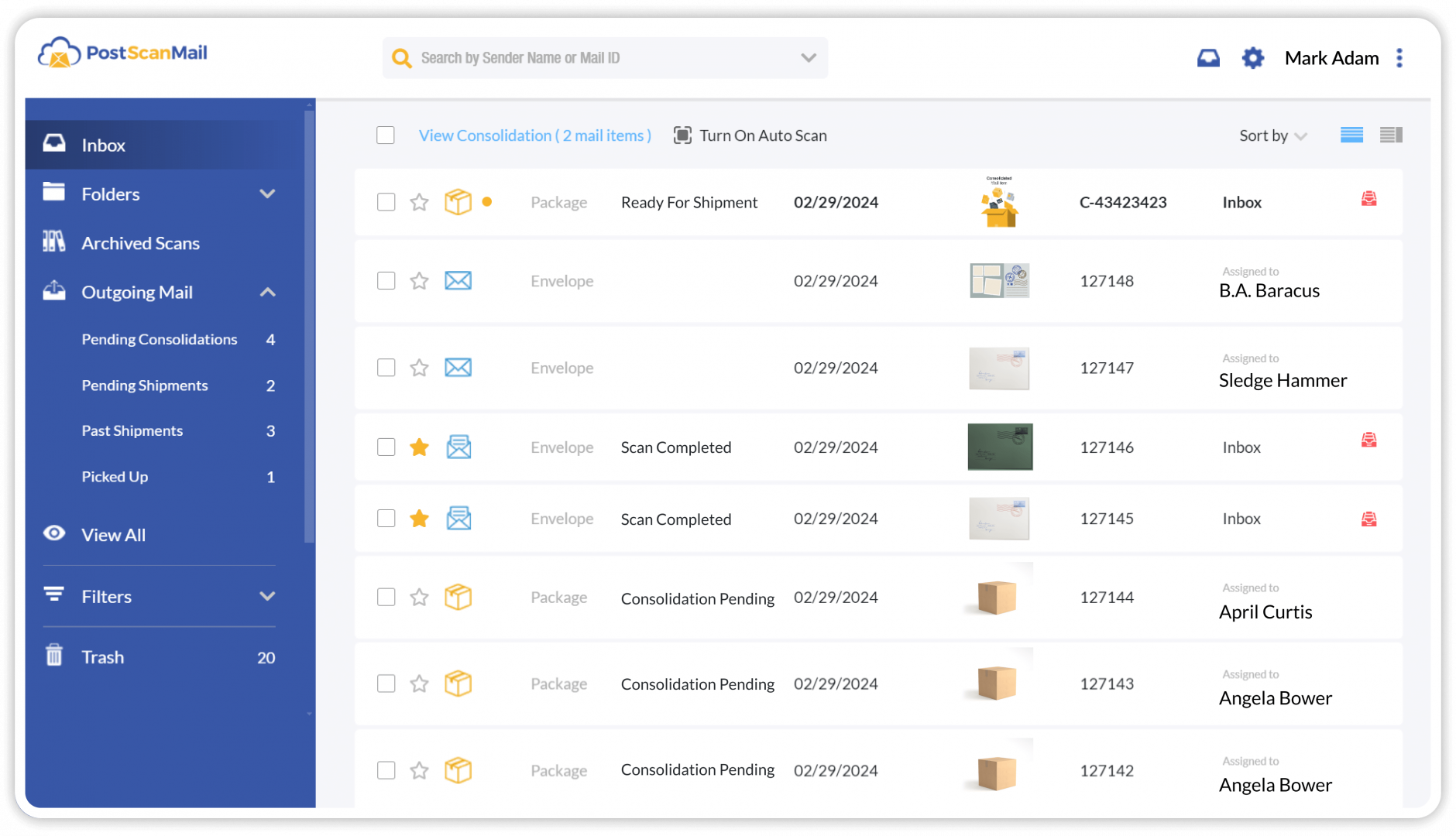
Our virtual mailbox service allows you to view and manage your mail and package deliveries online. Whether you receive a small amount of personal mail or handle high volumes of business correspondence, PostScan Mail securely receives your mail and scans it into your online account for easy access. You can review your incoming mail from any web-enabled device, anytime.

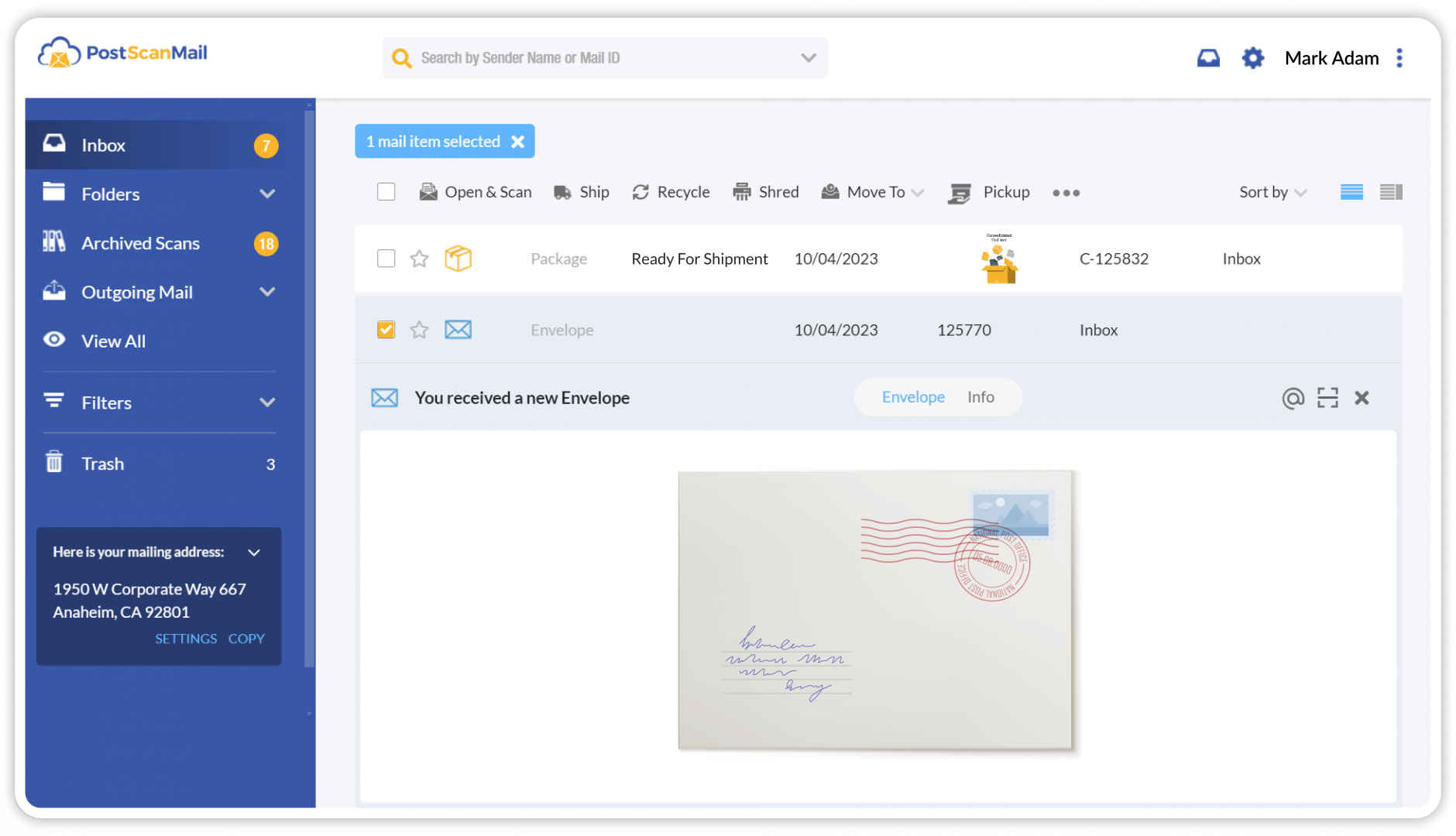
After signing up and selecting a virtual mailing address, you gain access to the PostScan Mail platform, where all mail and package deliveries are displayed in one place. Your virtual mailing address is a real physical street address, suitable for both personal and business use and available for in-person visits if needed. To begin receiving mail, simply provide this address to your senders or submit a USPS change-of-address request to redirect your mail to PostScan Mail.

2 Mail Forwarding (1)
001 Open Scan Service

Mail Forwarding

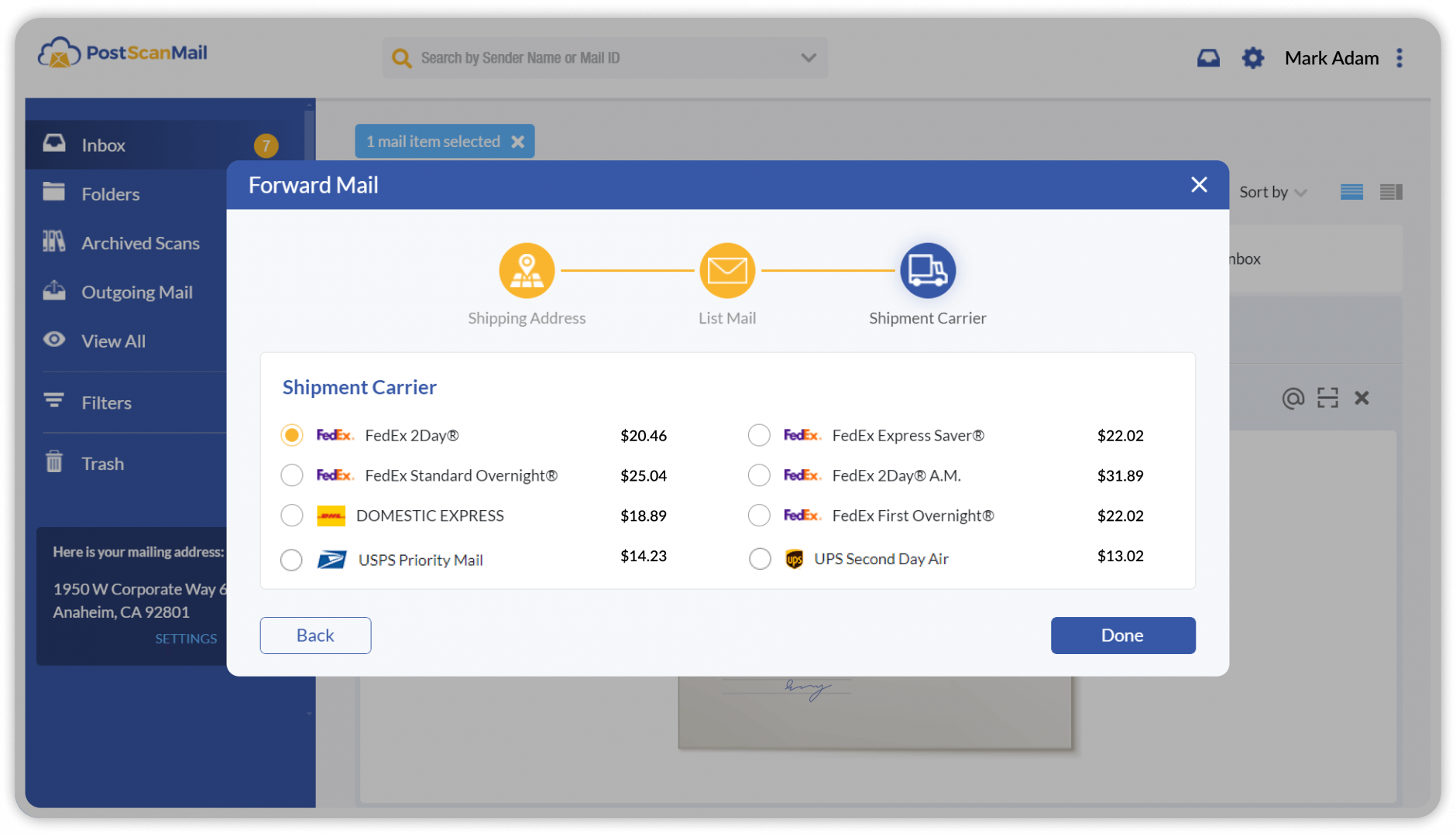
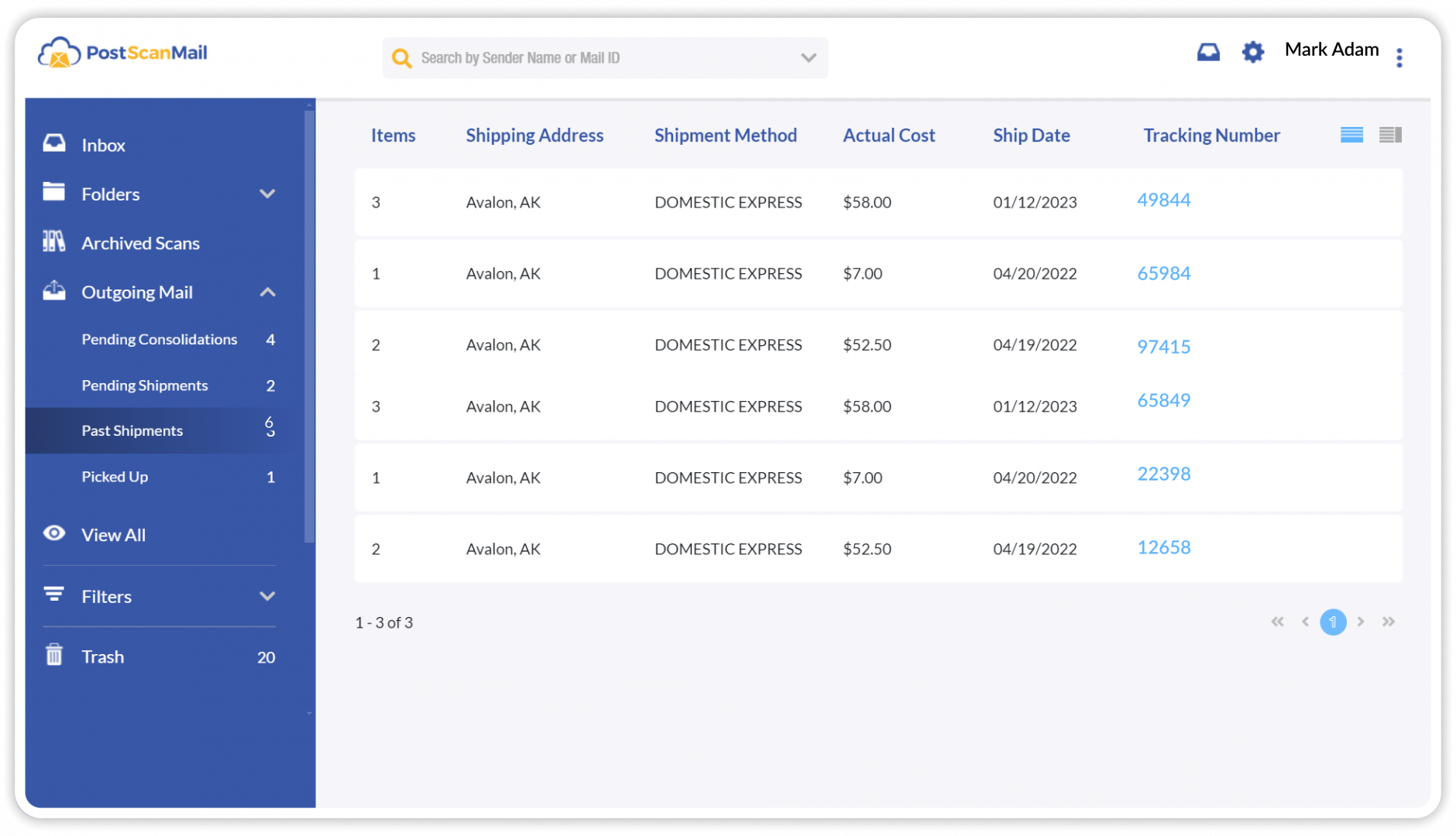
PostScan Mail’s mail forwarding service allows you to have your physical mail delivered to you wherever you are. Simply provide a shipping address and select your preferred carrier, including USPS, UPS, FedEx, DHL, or Canada Post. We securely package your mail items and forward them to any U.S. or international destination.

Before each shipment is sent, our system automatically validates the destination address to help ensure successful delivery. You can track all outgoing mail directly from your account, including selected shipping methods, associated costs, and real-time tracking updates.

3 Mail Scanning (1)
02-mail-forwarding-service

Mail Scanning

Once mail items are delivered to your virtual mailbox, you can request that they be opened and scanned. Our trained operators securely open each item, scan the contents, and upload the digital files to your online account. You can view the scanned documents directly in your mailbox, download them as PDFs, print copies, or forward them by email.

All scanned content is stored in your virtual mailbox archive for easy reference. After reviewing the contents, you can choose how the physical mail is handled, including forwarding, recycling, secure shredding, or local pickup. Digital copies can be retained for future access or permanently deleted at your discretion.

4 Package Management (1)
Package Management

Package Management

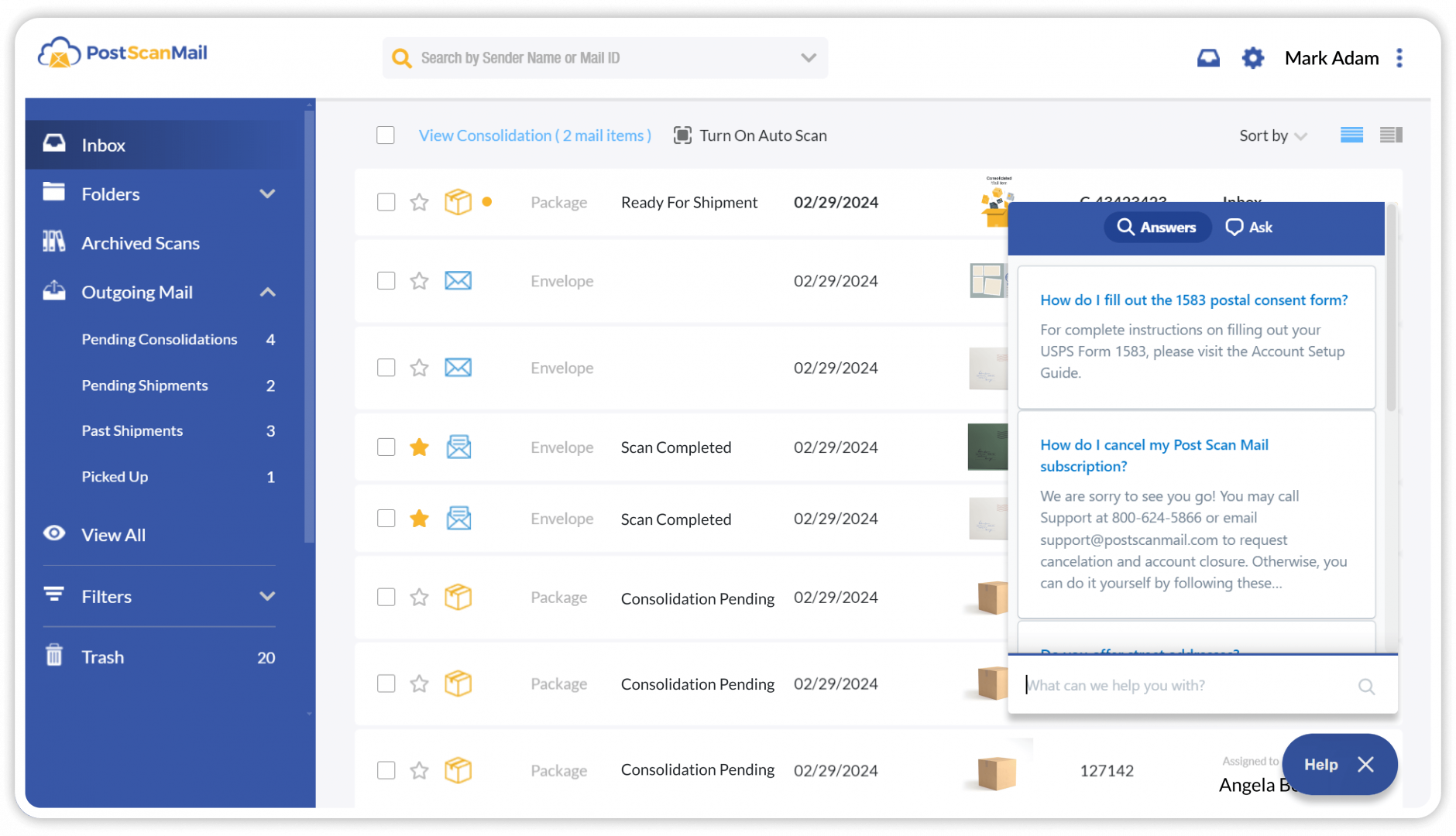
With your PostScan Mail account, you can receive packages from all major carriers. Upon arrival, we scan the package label, record the dimensions and weight, and store the package securely. You’ll receive an email notification and can log into your account at any time to view and manage all inbound packages.

Packages can be picked up locally or shipped individually to your preferred destination. You may also choose to consolidate multiple packages into a single shipment. When consolidating, we repackage your items and provide updated weight and dimension details to help reduce shipping costs.

This service is well suited for businesses managing inbound inventory, e-commerce operations, or individuals who want a secure delivery address and protection against lost or stolen packages.

5 Secure Shredding (1)
Secure Shredding

Secure Shredding

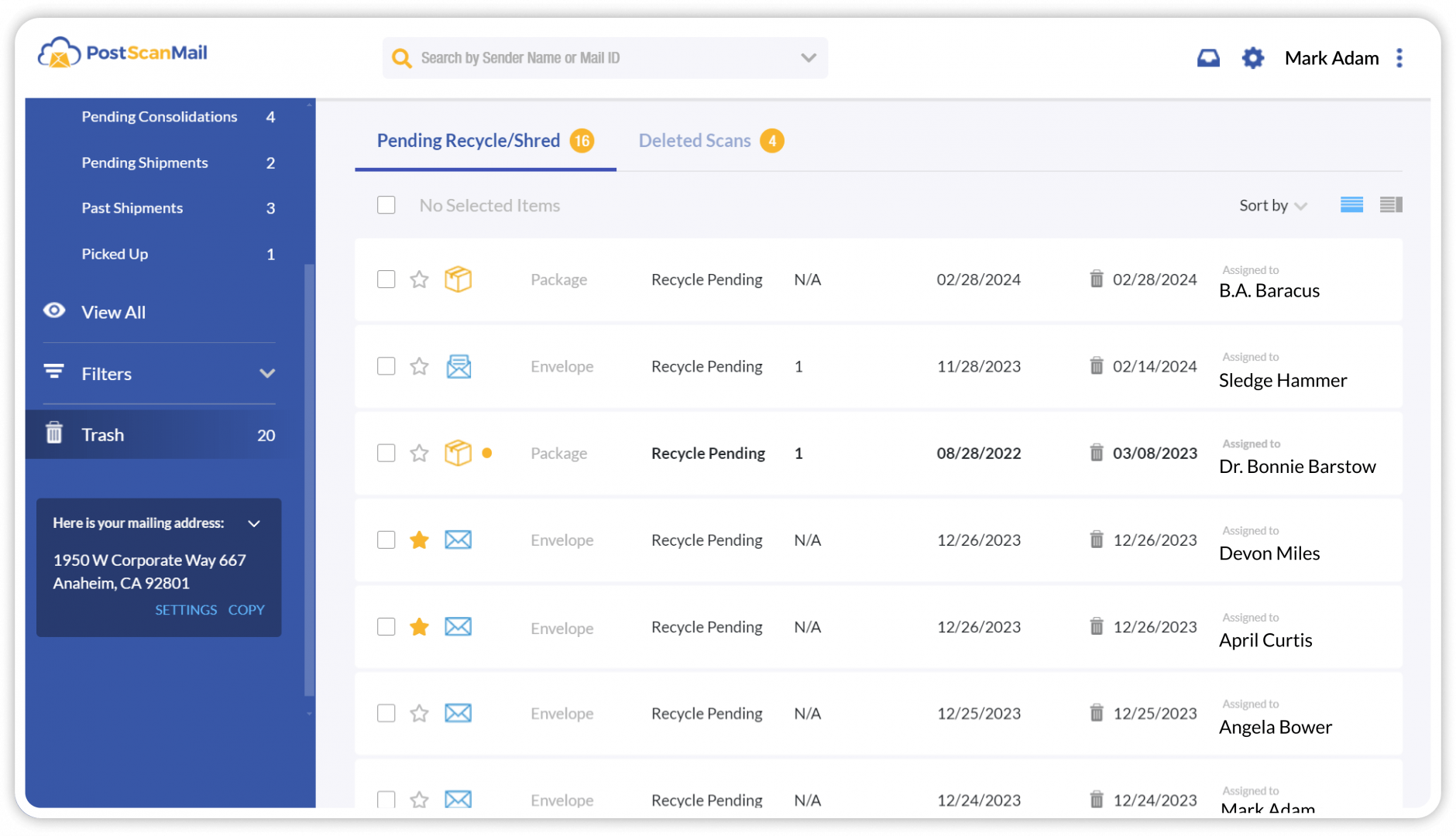
Protect your privacy and sensitive information with PostScan Mail’s secure shredding service. You can request secure shredding for mail items you no longer need, ensuring confidential documents are disposed of properly.

For non-sensitive junk mail, free recycling is available. If a mail item contains confidential or personal information that requires secure disposal, shredding can be requested for a nominal fee in addition to your monthly subscription.

6 Mail Storage (1)
Mail Storage

Mail Storage

Keep your physical mail and packages safe with secure onsite storage. PostScan Mail stores your items until you decide how they should be handled. Each account includes 30 days of free mail storage and 7 days of free package storage.

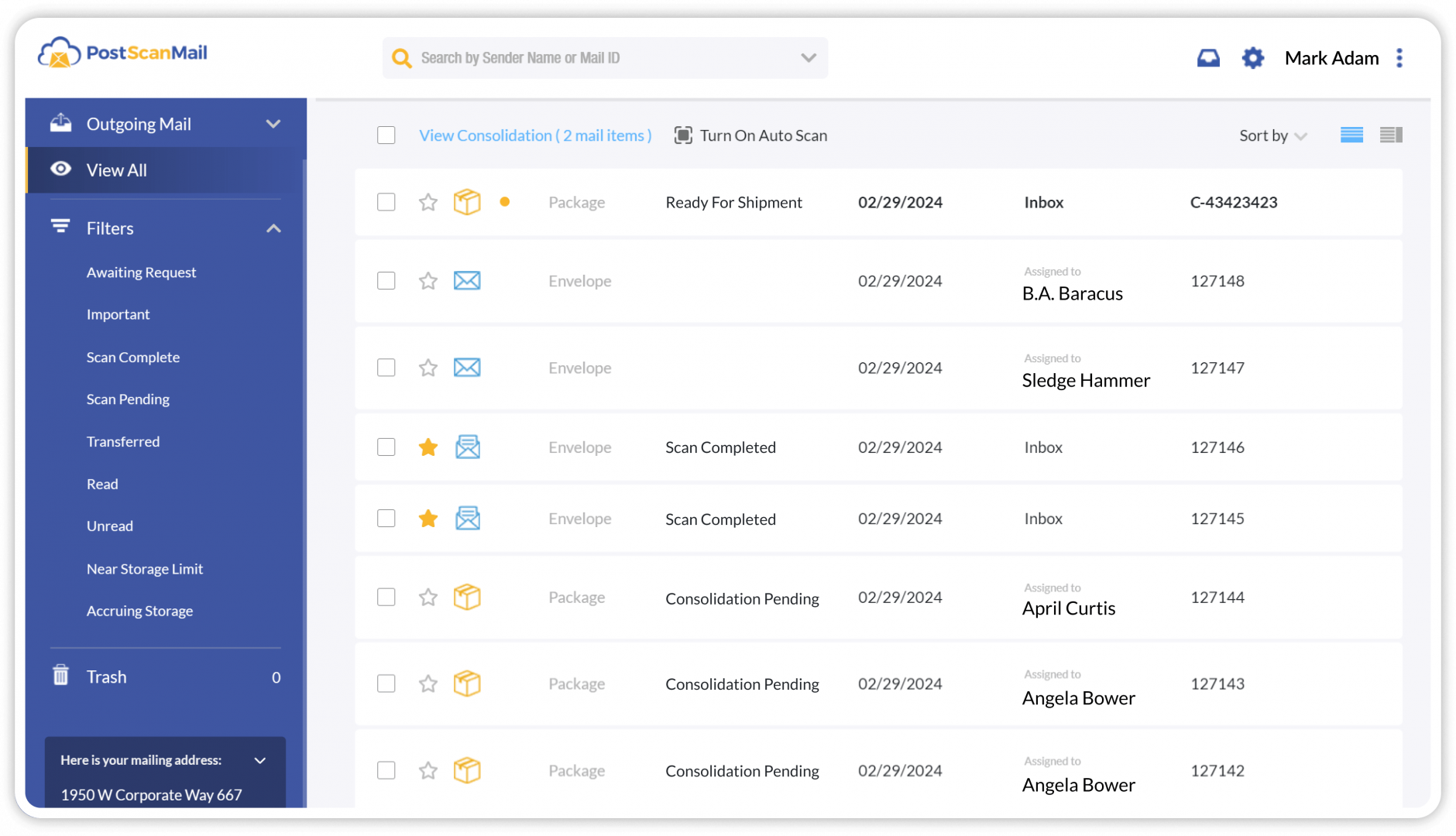
When an item approaches its free storage limit or begins accruing storage fees, you’ll receive a notification in your mailbox to help you manage costs. At any time, you can choose to pick up, forward, recycle, or securely shred your stored mail and packages.

7 Online Mail Management (1)
Digital Mail Management

Online Mail Management

Organize and manage your digital mail effortlessly with our virtual mailbox platform. You can sort, categorize, and archive your mail for easy access and efficient management.

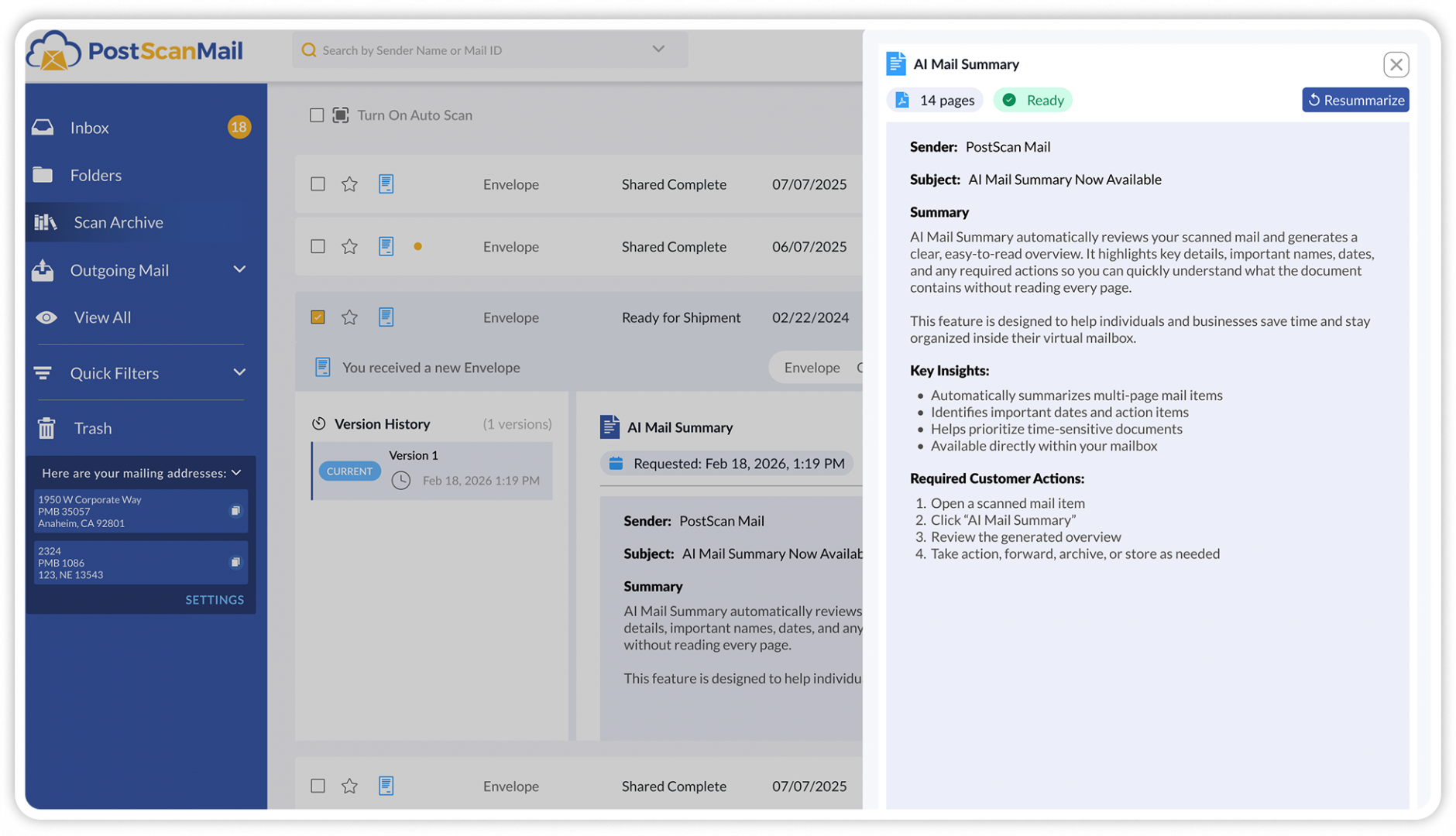
Similar to email, the virtual mailbox includes filters to quickly sort mail by status, search for mail items by sender name, and organize both your physical and digital mail content into folders.

For organizations that require deeper integration, PostScan Mail also offers a Developer API that provides programmatic access to mail data and automation settings. This allows enterprises to integrate mail activity into internal systems, dashboards, or custom workflows. The Developer API is included with all PostScan Mail accounts at no additional charge.

8 Recipient Management (1)
Recipient Management

Recipient and User Management

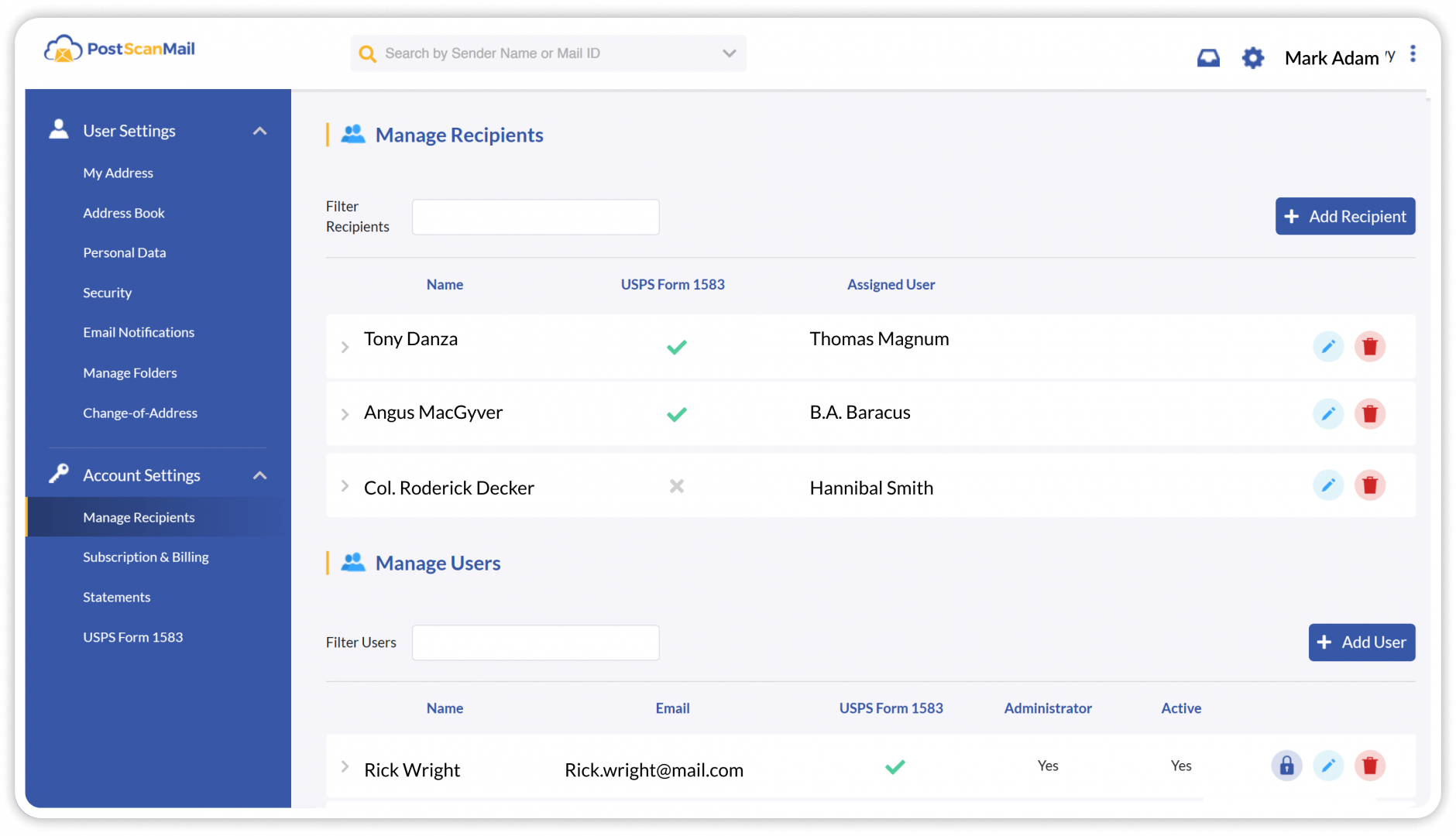
PostScan Mail allows you to add recipients and users to your virtual mailbox account. Recipients represent additional individuals or business names for which you receive mail. Mail delivered to a recipient is scanned and uploaded into your existing mailbox, allowing you to manage all related mail from one account.

Users are given their own dedicated mailbox view while using the same mailing address. As the primary account holder, you can see mail items assigned to all users, while each user can only access items assigned to them. User accounts are well suited for family members, employees, or departments that need to receive mail independently.

All recipients and users must submit a notarized USPS Form 1583 to authorize PostScan Mail to receive mail on their behalf. This process helps verify identity and provides protection against identity theft or fraudulent mail activity.

Multiaddress
00 Virtual Mailbox

Multi-Address Mailbox

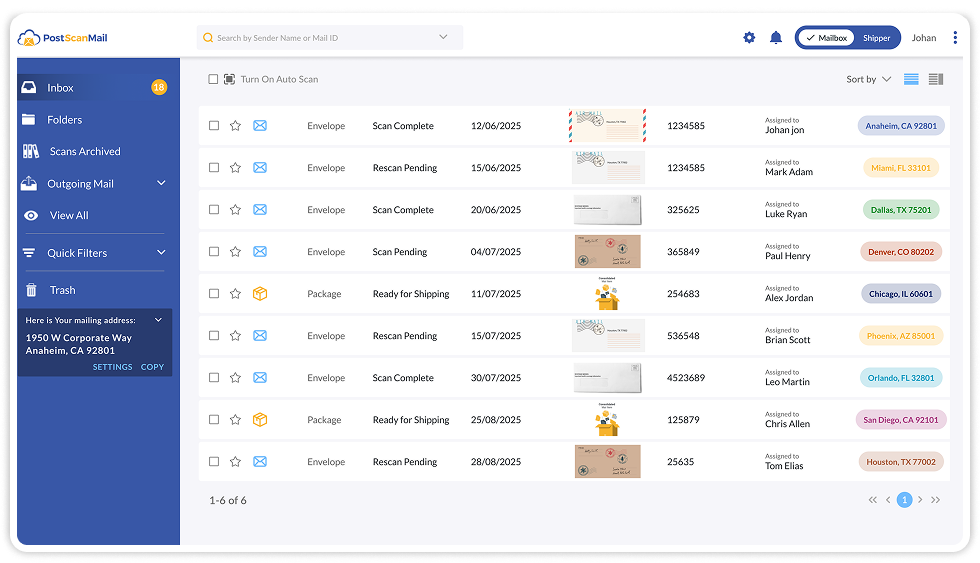
Businesses operating across multiple states often face challenges with compliance, registration, and maintaining a physical presence. PostScan Mail’s Multi-Address Mailbox allows you to manage multiple mailing addresses across different states from a single account.

With one login, you can:

  • Maintain compliant business addresses in every state where you operate
  • View, scan, forward, and store mail from all locations in one dashboard
  • Simplify billing with a single account and payment method

This feature is well suited for corporations, LLCs, and professional service firms that require registered addresses in multiple states. It is also useful for individuals managing mail for family members across multiple locations, all within one secure account.

9 Mail Notification & Alerts (1)
Mail Notification Alerts

Mail Notifications and Alerts

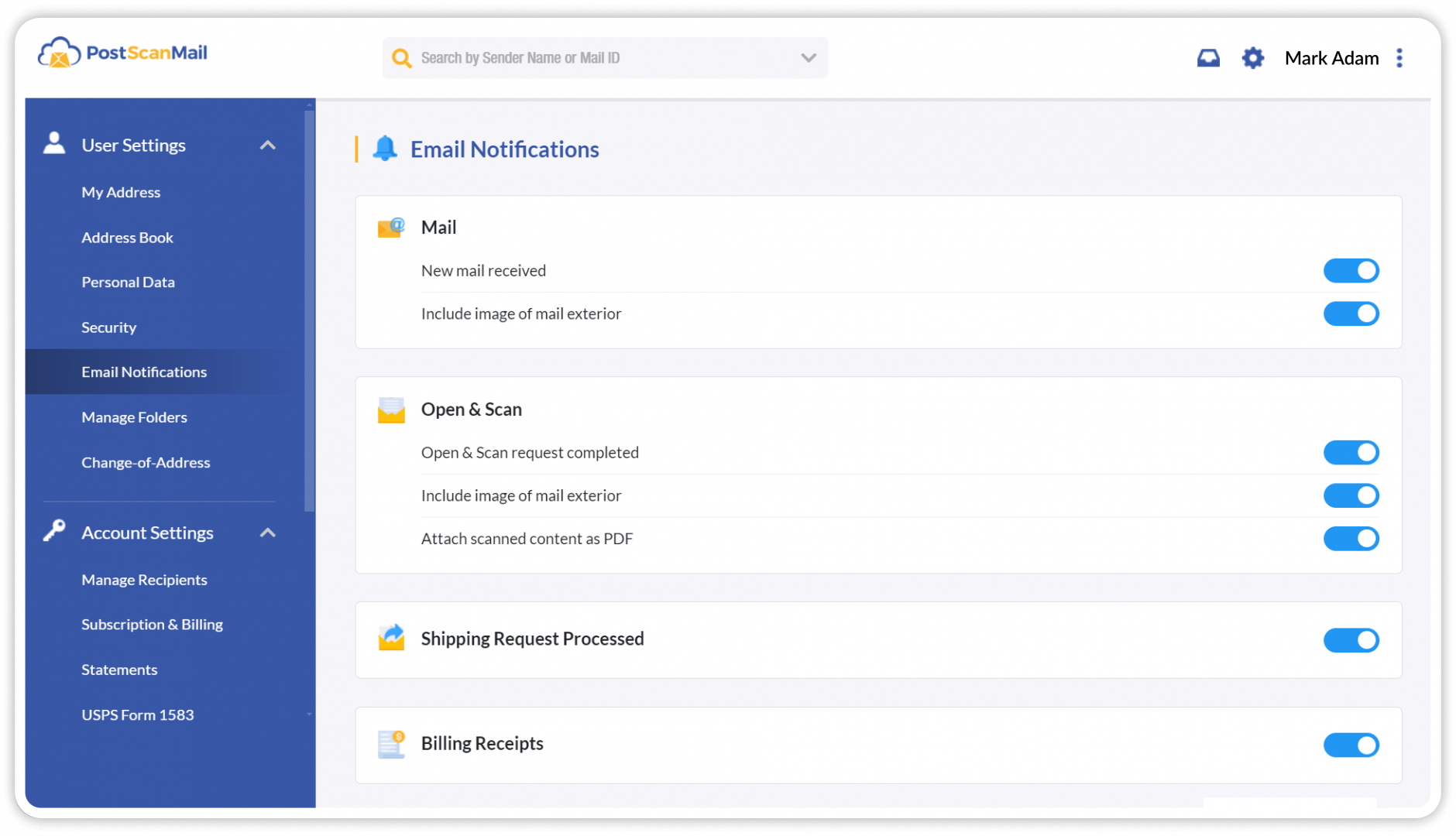
You will receive email notifications whenever new mail is received, including an image of the outside of the mail item. Email alerts are also sent when open and scan requests are completed, with scanned content provided as a PDF, and when mail forwarding requests are processed.

In addition to email notifications, PostScan Mail offers SMS alerts for mail and package forwarding events. These alerts include updates when an item is in transit, delayed, or successfully delivered to its destination.

10 Privacy And Security Settings (1)
Privacy And Security

Privacy and Security Settings

Safeguard your sensitive information with PostScan Mail’s commitment to privacy and security. We prioritize data protection through encryption and secure protocols to help ensure confidentiality and peace of mind.

For organizations that handle sensitive or regulated information, PostScan Mail supports HIPAA-aligned mail handling. Customers can enable HIPAA-compliant processing on a per-address basis, ensuring mail is handled only at locations that follow enhanced privacy, access control, and secure handling procedures. This feature is designed for healthcare providers, legal professionals, financial institutions, and other organizations with stricter compliance requirements.

Our security features include:

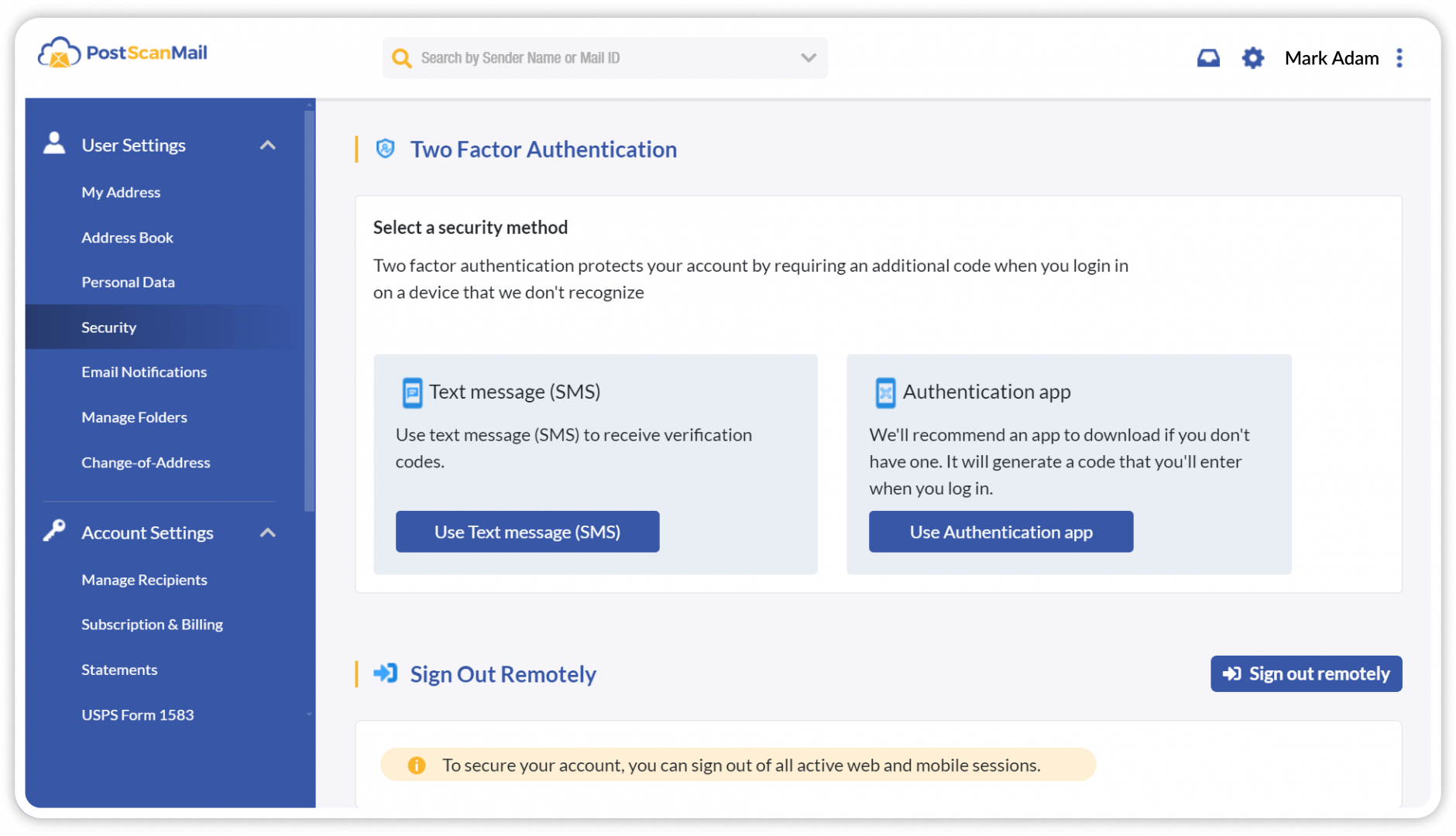
  • Two-Factor Authentication (2FA): Adds an extra layer of protection to your virtual mailbox account.

  • reCAPTCHA Integration: Helps prevent automated attacks and unauthorized access attempts.

  • Active Session Management: Allows you to view and log out of active sessions to keep your account secure.

11 Premium Support (1)
Premium Support

Premium Support

PostScan Mail provides dedicated customer support seven days a week via phone, email, and chat. Our support team is available to assist with account setup, general questions, and mail-related requests.

You may also visit any PostScan Mail location for assistance with your mail. Each virtual mailbox account includes a direct phone number for your assigned location, allowing you to reach local staff when immediate support is needed.

12 Standardized Pricing
Flexible Plans

Standardized Pricing

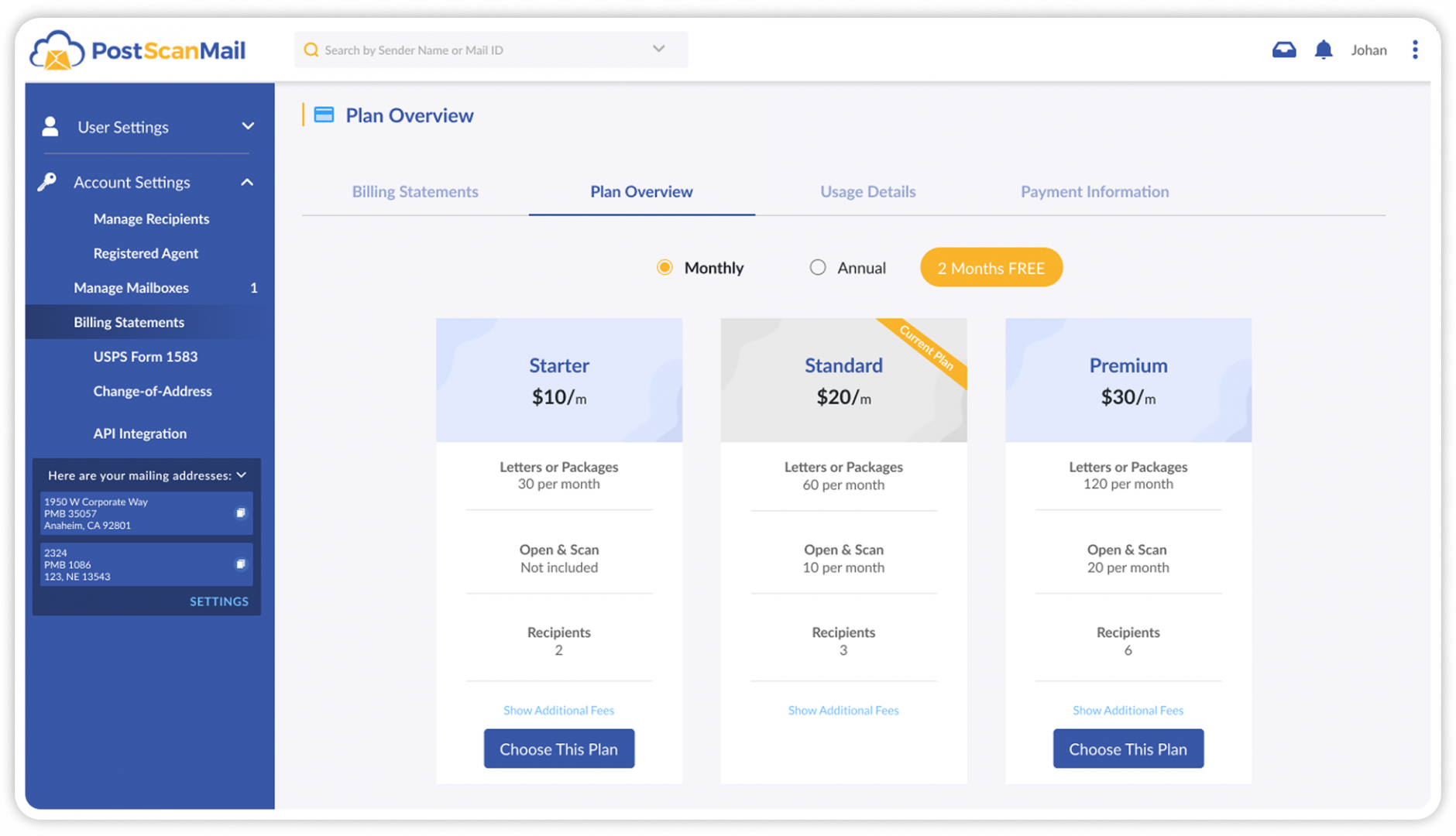
PostScan Mail offers three subscription plans: Starter, Standard, and Premium. While the Starter plan starts as low as $10 per month, monthly pricing may vary by location. Incoming mail limits, open and scan allotments, and the number of included recipients are standardized across all locations.

In addition to the monthly subscription, additional fees may apply. These can include exceeding your mail or open and scan limits, mail forwarding (which includes a per-item handling fee plus shipping costs), and mail storage beyond the included 30 days for mail and 7 days for packages. Fees may also apply for exceeding recipient limits, requesting secure shredding, or receiving oversized packages. Some locations charge a nominal fee for mail pickup, while many offer free local pickup.

If you need assistance selecting a plan or understanding pricing details for your location, our team is available to help you choose the option that best fits your needs.

Two Factor Authentication (2fa)

Two-Factor Authentication (2FA)

Enhance your account security with two-factor authentication (2FA). This feature adds an additional verification step beyond your password, helping reduce the risk of unauthorized access. When enabled, 2FA helps ensure that only authorized users can log in to your account.

Recaptcha Integration

reCAPTCHA Integration

PostScan Mail integrates reCAPTCHA to help protect against automated attacks and unauthorized access attempts. This tool verifies legitimate users and helps prevent malicious or bot-driven login activity, adding an additional layer of account security.

Session Management

Session Management

Take control of your account’s security with session management tools that monitor all active sessions. If you’re concerned about a forgotten login on another device or need to quickly remove access, you can log out of all sessions with a single click to help keep your account secure.

Encryption Protocols

Encryption Protocols

PostScan Mail provides session management tools that allow you to monitor active sessions associated with your account. If you need to remove access from another device or end a forgotten login, you can log out of all active sessions with a single action, helping keep your account secure.

Securely receive your mail and package deliveries

Find a convenient location near you — in the United States or internationally.

Trust Guard Security Scanned