Before paying for more traffic, check what happens to the interest your business already receives.
Are inquiries waiting for a reply? Do customers struggle to book? Are people buying once and leaving because they never learn what else you offer?
To grow your business without increasing your marketing budget, focus on existing customers, follow up on inquiries, remove buying obstacles, and reuse content and tools you already have.
These actions still require time.
Additional orders also add fulfillment costs, so track what remains after those costs, along with sales.
Find the Problem Before Choosing a Growth Tactic
Review a recent period that reflects your normal sales cycle.
Count inquiries, completed sales, repeat purchases, cancellations, and the time you spend handling each order.
Use the records you already keep.
- Few relevant inquiries suggest you need to improve how customers find and understand your offer.
- Many inquiries but few sales suggest a problem with fit, pricing clarity, follow-up, or the buying process.
- Few repeat purchases call for a closer look at customer needs, delivery, and post-sale follow-up.
- When you’re fully booked and have little money left over, review pricing, fulfillment costs, and rework before seeking more orders.
Choose one problem to address first. A service business losing track of quotes needs a follow-up process before it needs a busier social media calendar.
Eight Ways to Grow Using Resources You Already Have
1. Make the Next Step Easier for Customers
Test your website, booking form, or checkout on a phone.
Check whether a visitor can understand what you offer, who it serves, what happens next, and how to contact you.
Fix missing contact details, broken forms, outdated hours, and unclear service descriptions.
Ask someone unfamiliar with your business to attempt a purchase or inquiry and explain where they hesitate.
For example, a repair company could replace “Contact us for details” with a request form that asks for the equipment type, problem, and location.
That gives the customer a clear next step and the company the information it needs to respond.
2. Follow Up on Inquiries You Have Already Received
Review open quotes, unanswered questions, and requests that never reached a decision.
Record an owner and next action for each one. Ask whether the customer needs clarification rather than repeatedly sending the same sales pitch.
Use a message tied to the inquiry, such as asking whether a quoted service includes everything the customer needs.
Close the record when the person declines, opts out, or no longer needs the service.
For U.S. commercial email, follow the FTC’s CAN-SPAM guidance.
Requirements include accurate sender information and subject lines, clear identification of advertising, a valid postal address, and an opt-out method.
Honor opt-out requests within 10 business days. The law also covers business-to-business commercial email.
3. Help Existing Customers Get More Value
Ask recent customers what they used, what caused difficulty, and what they still need.
Look for improvements you can make within the service or product you already provide.
A software consultant might turn repeated setup questions into an onboarding checklist.
A retailer might improve sizing information after reviewing return reasons.
These changes address an observed problem rather than adding a discount to every order.
Where a repeat purchase makes sense, explain the relevant next step.
A follow-up should help the customer decide whether they need another purchase, not imply that every customer needs more.
4. Ask for Referrals and Reviews Without Buying Them
Make it easy for customers to describe whom you help.
For example, a bookkeeper could ask whether a client knows another business owner who needs help organizing monthly records.
A referral request does not need a cash reward or discount.
For reviews, follow the platform’s solicitation rules and invite feedback without screening for positive opinions.
Ask people who have used your product or service. Do not write a customer’s review or invent an experience.
The FTC’s review guidance prohibits incentives conditioned on a positive or negative review.
An incentive can also create disclosure obligations, and a platform may prohibit incentives altogether.
Keeping review requests unpaid avoids adding a reward expense.
5. Reuse Answers Customers Already Need
Choose a question that appears in sales calls or support messages.
Turn the answer into a website section, then adapt it for the channel your customers use.
One explanation can become a short post, a checklist, or a demonstration.
For example, a moving company could explain how customers should label boxes for different rooms.
Keep the advice specific enough to use, and show the service that helps when someone needs more support.
Update existing pages before committing to a publishing schedule you cannot maintain.
Use descriptive headings, answer the question directly, and correct outdated details.
Helpful content can support discovery, but publishing does not guarantee traffic, rankings, or sales.
If your business qualifies for Google Business Profile, you can manage it for free.
Keep its services, contact details, and hours accurate.
Online-only businesses don’t qualify just because they have a mailing address.
6. Work with a Complementary Business
Identify a business that serves a similar customer without selling the same service.
Propose one activity you can both deliver using existing resources.
A photographer and a website designer might prepare a guide to choosing business photos.
Each can share it with their own audience and explain their role.
Agree on who creates the material, handles inquiries, and follows up.
Start with a small collaboration.
Share introductions with the people involved rather than exchanging customer contact lists without their agreement.
7. Clarify or Combine Offers You Can Already Deliver
Review questions customers ask before buying.
You may be able to make an existing offer easier to understand without adding inventory or launching a new service.
For example, a designer could present an existing consultation and document review as one package with a defined scope.
Explain what is included, what costs extra, and who the package suits.
Count the delivery work before setting the price.
A bundle that includes unpaid revisions or extra support can consume more capacity than separate purchases.
Test demand before creating materials or making commitments that require new spending.
8. Recover Time from Repeated Work
Look for tasks you repeat during quoting, onboarding, scheduling, and customer support.
Create templates, checklists, or saved replies using tools you already pay for.
Start with a process that causes delays or mistakes.
A quote checklist might prevent missing information; an onboarding template might prevent repeated requests for the same documents.
Check usage limits before turning on automation.
A feature inside an existing subscription may still trigger charges.
Use recovered time for sales follow-up or customer delivery, then check whether the change actually reduced work.
Check the Money Left After Each Sale
More revenue doesn’t always mean more money to cover your business expenses.
Compare sales with the variable costs of delivering those sales, including materials, transaction charges, shipping, and any labor that increases with volume.
The following illustration assumes a $60 variable cost per order in every scenario.
Contribution means revenue minus those variable costs.
It is not net profit; you still need to cover fixed expenses and any costs omitted from the example.
| Illustrative scenario | Revenue | Contribution before fixed expenses |
| 10 orders at $100 each | $1,000 | $400 |
| 12 orders at a discounted $90 each | $1,080 | $360 |
| 12 orders at $100 each | $1,200 | $480 |
In the discount scenario, revenue rises by $80 while contribution falls by $40.
The full-price scenario assumes two additional sales without a price cut.
These are calculations, not predicted results.
Check whether you have the capacity and cash to fulfill additional orders before pursuing them.
Use a 30-Day Plan to Test One Change
- Week 1 — Establish a baseline. Record the relevant inquiries, sales, contribution, and staff time. Choose one problem and one change.
- Week 2 — Put the change into use. Fix the form, follow up on open quotes, or improve onboarding. Record what you changed.
- Week 3 — Review the response. Track qualified inquiries, purchases, repeat orders, or rework, depending on the problem. Ask what remains difficult.
- Week 4 — Decide what to keep. Compare results with the baseline and note differences in seasonality, workload, or customer mix. Continue only if the benefit justifies the effort.
A spreadsheet can be enough for this trial.
Record where each inquiry came from and what happened next.
Likes and views alone do not show whether an activity produced a sale.
Review Paid Services Against the Costs They Replace
If your cost review includes mail collection or office overhead, compare the full alternative before switching.
Include a paid service in your budget even if it could replace another expense.
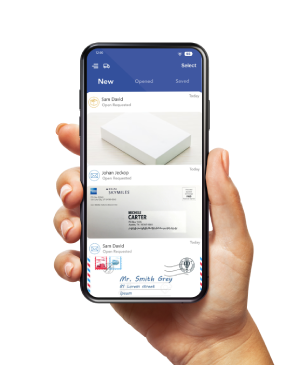
PostScan Mail’s virtual business address service provides a receiving address and online mail management.
Compare the subscription, scans, storage, forwarding, and postage with your current arrangements. Address acceptance depends on the intended use; a mailing service does not automatically replace workspace or verification requirements.
Start with the Business You Already Have
Choose the obstacle closest to a missed sale or an unresolved customer need.
Fix it with existing resources, measure the outcome, and use the result to decide what deserves more of your time.
Access & Manage Your Postal Mail
Anywhere Anytime!
Receive mail anywhere, on any device.
We offer 1000+ mailing addresses for both personal and business use.