Your team can work from different cities, but a paper invoice still arrives at one door.
That mismatch explains where virtual addresses fit into the future of work: they give remote and hybrid businesses a consistent place to receive mail, with digital access for the people who need to act on it.
A virtual address is a real physical mailing location operated by a service provider.
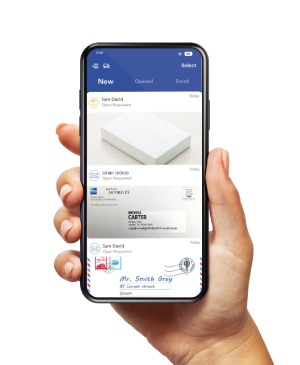
With a virtual mailbox, businesses can view incoming mail images, request content scans, and arrange forwarding or other handling.
The biggest developments to watch are flexible workplace arrangements, better mail automation, and clearer controls over access and document retention.
Table of Contents
What Does a Virtual Address Actually Replace?
A virtual address can replace the need to collect routine business mail at your home or office.
It does not automatically replace a workspace, meeting room, registered agent, or legally required operating address.
The address identifies where mail arrives.
The virtual mailbox is the online service used to manage it.
A virtual office may bundle additional services, such as meeting rooms or telephone answering, but those features depend on the provider and agreement.
| Option | What it provides | Workspace access |
| Virtual address with mailbox | A mailing location and online mail management, depending on plan | Not included unless explicitly offered |
| Virtual office package | A bundle that may include mail handling, phone services, or room bookings | Depends on the agreement |
| Coworking or leased office | A place to work; mail services depend on the agreement | Included under the workspace terms |
For example, a remote consulting firm might use a virtual mailbox for correspondence and book a meeting room separately for client workshops.
The mailing subscription and workspace booking solve different needs.
Five Trends Shaping Virtual Addresses and the Future of Work
1. Hybrid Teams Need Mail Access Beyond Office Days
Hybrid work remains a meaningful part of the U.S. workplace.
The September 2026 Survey of Working Arrangements and Attitudes estimate, published through the St. Louis Fed’s ALFRED database, put hybrid work at about 30% of full-time wage and salary workers.
This measure covers workers who worked both at home and at an employer or client site during the prior week; it does not describe all U.S. adults.
The research is by José María Barrero, Nicholas Bloom, and Steven J. Davis, authors of “Why Working from Home Will Stick” (2021). Its practical implication for mail is straightforward: important correspondence needs an owner even when that person is away from the receiving location.
What to expect: Businesses with distributed schedules may increasingly evaluate mail services by how quickly documents reach the responsible person, rather than by the prestige of the address alone.
This is a planning expectation, not a measured forecast of virtual-address adoption.
2. Mailing Locations and Workspaces Can Be Chosen Separately
An employee move or office change does not necessarily require a new mailing address if the business keeps the same receiving service.
That continuity can reduce the number of address updates needed when workplace arrangements change.
Before dropping an office lease, calculate the full alternative cost: mailbox subscription, scan overages, storage, forwarding, postage, workspace bookings, and staff administration.
Savings depend on whether the replacement services meet the same operational needs.
What to expect: More flexible workplace decisions can make a stable mail-receiving location useful alongside occasional office access.
Businesses that need laboratories, secure equipment, daily customer visits, or on-site services will still need appropriate premises.
3. AI Summaries Are Becoming a Mail-Review Tool
AI-assisted mail review is already available.
PostScan Mail’s AI Mail Summary can summarize a scanned document, including amounts, dates, and action items.
It works from scanned content, so an exterior envelope image is not the same as having the document available for review.
Treat the summary as a starting point.
Compare deadlines, payment instructions, and obligations against the original scan before acting.
A short summary may omit a qualification or attachment that changes the meaning.
What to expect: More mail workflows may use AI to help prioritize review.
The useful test will be whether it helps staff identify what needs attention while preserving access to the complete document.
Automated interpretation should not become automatic approval of payments or legal responses.
4. APIs Can Connect Physical Mail to Existing Systems
A digital mailbox becomes more useful when its records can support the systems a team already uses. PostScan Mail’s Developer API supports access to mail data and scanned documents, as well as mail-processing actions and automation controls.
For illustration, a business could build an integration that creates an internal review task when an item appears, then associates the scan with that task when available.
This is a possible custom workflow, not a claim that every project-management or accounting app connects automatically.
What to expect: Integration capabilities may matter more to growing teams.
Before relying on an automated process, test duplicate handling, failed requests, user access, and how staff will notice an item that never reaches the downstream system.
5. Access Controls and Retention Deserve More Attention
Digitizing mail makes remote access possible, but also creates digital copies that need deliberate handling.
PostScan Mail lists two-factor authentication and encryption among its security measures.
Businesses should also decide who can view documents, where copies can be downloaded, and when access should end.
What to expect: Provider comparisons may place more weight on account controls, physical handling, retention options, and exit procedures.
For regulated or sensitive records, confirm the specific service terms and required agreements before sending documents to a provider; a general security statement does not establish suitability for every use.
Where a Virtual Business Address Has Limits
Use the address according to the purpose the receiving institution permits.
Receiving mail at a street address does not establish that your staff work there or that customers can visit.
Google’s Business Profile guidelines state that a rented mailing address where the business does not operate is ineligible for a profile.
Coworking offices have additional requirements involving signage, customer reception, and staffing by your business.
Likewise, check state filing instructions, licensing rules, bank requirements, and registered-agent requirements separately.
Approval for ordinary correspondence does not establish approval for those other purposes.
A U.S. mailing address also does not, by itself, determine tax residence or authorize employees to work in another country.
How to Build a Mail Workflow for a Distributed Team
Start with responsibility, then choose features. A scanned document can still be missed if nobody owns the next action.
- Inventory incoming items. Identify routine letters, invoices, checks, sensitive notices, and packages. Record approximate volume, page counts, and which originals must be kept.
- Verify the receiving location. Ask about accepted deliveries, package limits, pickup arrangements, processing times, storage terms, and support. Online account access does not mean physical processing happens around the clock.
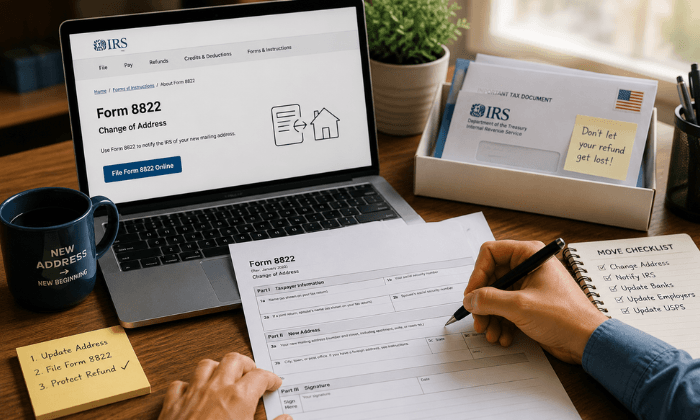
- Complete authorization before redirecting mail. At U.S. commercial mail receiving agencies, receiving USPS mail requires Form 1583 and the required identity verification. Authorization does not itself change where senders mail your correspondence.
- Assign a primary reviewer and backup. Set a review schedule and a route for urgent items. Use individual access where available, and check actual user permissions rather than sharing one password.
- Separate review from disposal. Decide when to request a scan, forward an original, keep it in storage, or authorize destruction. Confirm a usable copy and any retention obligation before shredding.
- Test the process. Send a sample letter, review the scan, assign an action, and forward a noncritical original. Measure provider processing separately from carrier transit.
A Simple Example: One Notice, One Owner, One Record
Imagine a five-person agency receives a vendor renewal notice.
The designated reviewer requests a content scan, checks the original for the renewal deadline, assigns the decision to the account owner, and records the outcome in the team’s existing task system.
A backup handles the review during leave.
Track three internal measures during a pilot: time from inbox availability to review, time from review to assignment, and items still unassigned after your chosen review window.
These measures show whether the workflow works; mail volume alone does not.
Choose a Virtual Address for the Work You Actually Do
Virtual addresses can support the future of work by connecting physical correspondence with a distributed team’s daily decisions.
Their value depends on suitable receiving services, reliable review habits, and a clear plan for originals.
Explore PostScan Mail’s virtual business address service, then compare the location, plan allowances, user access, processing arrangements, and total expected charges against your mail workflow before signing up.
Access & Manage Your Postal Mail
Anywhere Anytime!
Receive mail anywhere, on any device.
We offer 1000+ mailing addresses for both personal and business use.