For large enterprises and high-volume operations, physical mail is still a critical part of daily business. The challenge is not receiving mail, but processing it efficiently and making it accessible in a digital environment.
But what exactly is an OPEX mailroom, and how does it transform thousands of sealed envelopes into actionable digital data in seconds? This guide explores the intersection of world-class hardware and the software ecosystems that enable digital mailroom automation.
Key Benefits of OPEX Mailroom Automation
- One-Touch Processing: Systems like the OPEX AS7200 enable opening, extracting, and scanning mail in a single pass.
- Digital Transformation: Hardware solves the physical bottleneck; software (like PostScan Mail) solves the distribution and security challenge.
- Scalability: Designed for operations processing thousands of items per hour with minimal manual labor.
1. What is an OPEX Mailroom?
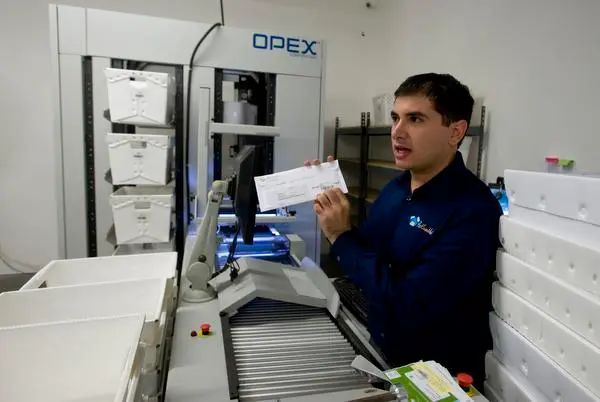
An OPEX mailroom is a high-capacity mail-processing environment that uses specialized machinery manufactured by OPEX® Corporation. These are not standard office scanners; they are industrial-grade “One-Touch” workstations designed to eliminate the labor-intensive steps of traditional mail handling.
The Role of the OPEX AS7200
The OPEX AS7200 is widely used in high-volume mailroom environments for automated processing. Unlike traditional workflows where an employee manually opens an envelope, removes the contents, and scans them separately, the AS7200 performs these steps in a single pass.
- Envelope Opening: Precision cutting ensures contents are never damaged.
- Content Extraction: The machine presents the contents to the operator or captures them automatically.
- High-Speed Imaging: Both sides of the document are captured at high resolution, including the envelope itself, to ensure a complete “Chain of Custody.”
2. How Digital Mailroom Automation Works: The 4-Step Pipeline
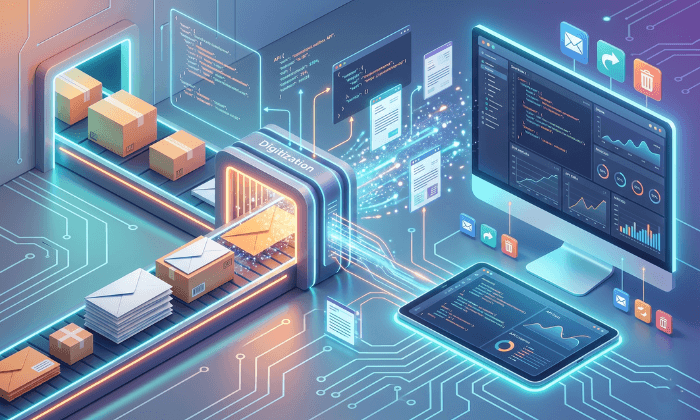
A digital mailroom is more than just hardware. It is a four-step pipeline that turns a physical object into a secure cloud asset.
Step 1: Ingestion & Extraction
Mail is fed into the automated system. The hardware handles the physical variations in mail (thickness, size, and weight) to ensure smooth flow without jams.
Step 2: Digitization & OCR
As documents pass through the scanner, OCR (Optical Character Recognition) software begins to “read” the text. This allows the system to identify the recipient, the sender, and even the type of document (e.g., an invoice or a legal notice).
Step 3: The Software Layer (The PostScan Mail Advantage)
While the hardware captures and processes the mail, the PostScan Mail platform provides the structure, access, and workflow that turns those images into usable data.
For advanced users, this data can be further integrated into existing enterprise workflows via our Developer API.
Step 4: Secure Distribution
Once digitized, the mail is instantly routed to the correct department or individual, regardless of their location.
3. Real-World Application: The Anaheim Case Study
At our high-volume processing facility in Anaheim, California, we operate OPEX mailroom automation systems as part of our daily workflow. This allows us to process large volumes of mail efficiently while maintaining accuracy and consistency.
In this environment, the hardware handles the physical processing, while the PostScan Mail platform manages organization, access, and workflow. This ensures that sensitive documents are digitized and securely destroyed in accordance with compliance requirements.
4. Comparing Automated vs. Manual Mailroom Systems
| Feature | Manual Mailroom | OPEX-Powered Digital Mailroom |
| Speed | 100-200 items/hour per person | 2,000+ items/hour per workstation |
| Labor Cost | High (Requires multiple handlers) | Low (One-touch processing) |
| Searchability | Impossible (Physical Filing) | Instant (Full-Text Search & OCR) |
| Security | Physical risk of loss/theft | Encrypted Digital Chain of Custody |
| Remote Access | None | Global (via Web or Mobile App) |
Completing the Workflow
An OPEX mailroom provides the physical speed necessary for the modern enterprise, but it is the software layer that provides the value. By combining high-speed automated hardware with the PostScan Mail platform, organizations can finally close the gap between their analog mail and their digital future.
More Enterprise Automation Resources

What is a Digital Mailroom & Why PostScan Mail is the Answer
Learn the core concepts of digital mailrooms and how our software layer transforms high-volume physical mail into secure, remote-accessible digital assets.

Mail Scanning & Digitization: How it Works
Programmatic Postal Intelligence: The API Guide