Trying to figure out how to handle your physical mail when you aren’t always around to check a lockbox?
Deciding between a standard Post Office box and a virtual mailbox usually comes down to two things: where you are located and how much convenience you need.
Quick Comparison
| Feature | Physical PO Box (USPS) | Online PO Box (Virtual Mailbox) |
| Check Mail Remotely | No (Must visit in person) | Yes (View online or via phone app) |
| Accepts UPS & FedEx | Standard PO Box: No
Street Addressing: Selected locations |
Yes (Accepts all major couriers) |
| Package & Mail Forwarding | Official USPS Forwarding only | Yes (Ship anywhere globally) |
| Shredding & Recycling | No | Yes (On request) |
| In-Person Support | Yes (Postal clerks at counter) | Customer service via chat/email/phone |
| Digital Storage | No | Yes (Cloud backups of scanned mail) |
Physical PO Box vs. Virtual Mailbox
How You Access Your Mail
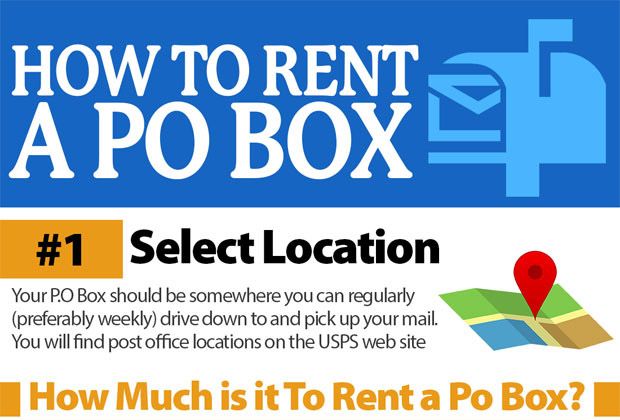
With a traditional PO Box, you have to drive down to the post office during operating hours, find parking, and use a physical key to check your box.
If you travel frequently or work long hours, your mail just sits there until you get back.
An online PO Box acts like an email inbox for your physical mail.
When a letter arrives at a secure processing facility, staff take a picture of the envelope and upload it to your account.
You log in from your phone or computer and decide what happens next: have them open and scan the contents, forward the piece to where you are, or shred it.
Receiving Packages and Deliveries
Standard USPS PO Boxes generally only accept deliveries sent through the U.S. Postal Service.
If an item ships via UPS, FedEx, or DHL, it often gets returned to the sender. (Some post offices offer a Street Addressing add-on, but availability varies.)
Virtual mailbox providers use commercial street addresses with suite numbers.
Because it functions as an office location, all major couriers can drop off packages there. Someone is available during business hours to sign for deliveries, and you get an alert as soon as a package arrives.
When You Go Out of Town?
If your physical PO Box overflows while you are out of town, the post office will pull your mail and hold it behind the counter.
If you need that mail right away, you have to wait until you return or rely on standard USPS mail forwarding, which takes time to set up and redirect.
Virtual mail services let you route specific packages or letters to wherever you are staying whether that is a temporary rental, a hotel, or an international address. Most providers give you a set window of free storage (typically 30 days) before charging additional storage fees.
Privacy and Security
Both options offer solid security, though they handle it differently:
- USPS PO Boxes: Located inside federal post offices monitored by postal staff and federal law enforcement.
- Virtual Mailboxes: Run by commercial mail receiving agencies (CMRAs). Staff are background-checked and authorized under USPS Form 1583 to handle your mail. Digital dashboards use encryption to keep scanned documents secure.
If you deal with sensitive documents or junk mail containing personal info, virtual services also let you request document shredding directly through your account.
Which Option Should You Choose?
- Go with a physical PO Box if:
You live near a post office, only receive standard letters from USPS, want a cheap and simple option, and don’t mind picking up your mail in person. - Go with a virtual PO Box if:
You travel often, run a business from home and need a privacy address, want to view mail contents on your phone, or receive frequent deliveries from UPS and FedEx.