Before Black Friday, update the shipping address on file with each retailer, check your digital wallet and autofill settings, and review any orders you’ve already placed.
If you have moved, arrange USPS forwarding for eligible mail as a separate step.
Changing your mailing address helps ensure purchases go to the right destination. It does not automatically update every store account or redirect every package.
The most useful preparation is knowing which address controls each part of the delivery.
Which Address Do You Need to Change?
Changing my address can mean several different things. Use this distinction before updating your accounts:
| Address or Setting | What It Controls | Where to Update It |
| Retailer shipping address | The delivery destination selected for a purchase. | The store’s account settings and each order’s checkout. |
| Billing address | Billing information used with your payment method. | Your card provider and relevant checkout or wallet settings. |
| USPS change of address | Forwarding of eligible USPS mail from an old address. | The official USPS change-of-address process. |
| Subscribed mailbox address | Where a mailbox provider receives your mail and packages. | The provider’s location and account arrangements. |
| Mailbox forwarding destination | Where selected received items will be sent onward. | The forwarding request for those items. |
For example, selecting a new shipping address for future Amazon purchases does not change open orders or your Wish List.
Amazon also states that setting a default shipping address does not change the billing address. Review those details separately.
Update Your Shopping Accounts Before Checkout
Make these changes before the sales begin, then review the selected address when you place each order:
- Choose a destination that fits the delivery window.
Confirm someone can receive the parcel, or that your chosen receiving location accepts the item and carrier. - Update saved retailer addresses.
Add the complete recipient name, street address, apartment or private mailbox number, city, state, ZIP code, and requested contact information. Remove outdated defaults where appropriate. - Check digital wallets and browser autofill.
An express checkout can use a saved address that differs from the one in your retailer account. - Review subscriptions, registries, and wish lists.
Check their delivery settings rather than assuming a new account default updates them all. - Check billing details independently.
Use the billing information required for your payment method; a new package destination does not necessarily mean your billing address has changed. - Read the final order summary.
Before paying, confirm the recipient, full shipping address, delivery estimate, shipping fee, and any pickup instructions. For example, Apple Pay stores shipping and contact information for online and in-app purchases.On an iPhone, Apple directs users to Settings > Wallet & Apple Pay> Transaction Defaults to update shipping details. Also review the payment sheet at checkout.
Keep each order confirmation. If a retailer splits an order into several shipments, track each parcel individually so you can see where each one is going.
Arrange USPS Forwarding If You Are Moving
If you are moving or temporarily relocating, review USPS’s official change-of-address guidance and choose the right request. Submit it through USPS or at a Post Office and complete the required identity verification.
USPS advises allowing at least seven to ten business days after approval for the request to go into effect. Plan ahead rather than relying on a last-minute request to catch a Black Friday order.
A USPS change of address affects eligible USPS mail. It does not edit your retailer accounts or manage deliveries carried independently by UPS or FedEx. Notify important senders directly, and use the correct destination at checkout for new purchases.
What If You Already Ordered to the Wrong Address?
Open the order details immediately. The options depend on the retailer, seller, order type, and fulfillment stage.
If the Order Has Not Shipped
Look for an address-edit option on that specific order. Updating your saved address book is not enough. For example, Walmart allows address changes for some eligible orders before the shipping or delivery cutoff, with restrictions. Confirm the change in the order details and confirmation email.
If editing is unavailable, contact the retailer or seller promptly. Before canceling and reordering, check whether you can cancel and whether the item, promotional price, and delivery date remain available.
If the Package Is Already in Transit
Use the carrier’s official tracking page to check available delivery options, and contact the sender if necessary. UPS says the shipper, package status, or security requirements may restrict address changes. Eligible changes may involve a fee.
Treat a submitted rerouting request as a request until its status confirms the change. Keep checking the tracking record and avoid placing a duplicate order until you understand what will happen to the original shipment.
When a Virtual Mailbox Can Help Black Friday Shopping
A virtual mailbox can give you a consistent receiving address when you move frequently, travel, or need to manage eligible parcels remotely.
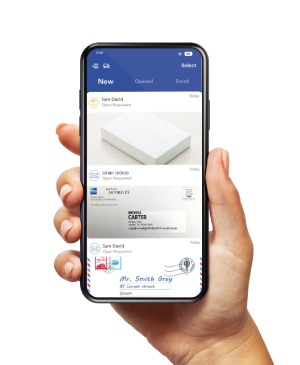
With PostScan Mail, packages arrive at your subscribed location; you can upload their labels to your account and request pickup or forwarding when available.
Before using a new mailbox for shopping, complete the required identity verification and, when receiving USPS mail at a U.S. location, complete USPS Form 1583.
Confirm the approved recipient name, full mailbox address, accepted items, storage terms, and receiving hours before placing orders.
Also check the retailer’s shipping terms. A mailing service does not override restrictions on forwarding addresses, particular products, payment methods, or delivery destinations.
Change the Forwarding Destination for Received Items
To have items sent onward, follow PostScan Mail’s forwarding instructions: sign in, select the received items, choose Forward, enter the destination, select an available shipping option, and review the shipment before submitting it.
This destination is where PostScan Mail will send the selected items after processing. It does not update the shipping address on retailer orders, file a USPS change of address, or replace your subscribed mailbox location. If you want a different receiving location, confirm the change process with PostScan Mail support.
Compare the Deal’s Total Delivered Cost
A sale price is only part of the purchase. Before choosing a receiving and forwarding arrangement, add up:
- The product price after the discount.
- Retailer shipping charges and applicable taxes.
- Mailbox subscription and receiving charges relevant to your use.
- Forwarding, repackaging, consolidation, and storage fees.
- Carrier shipping to the final destination and any optional coverage.
- Customs duties, taxes, or processing charges for international forwarding.
In a hypothetical comparison, a $40 discount leaves just $5 in savings if the arrangement adds $25 in shipping and $10 in handling and storage, before any tax difference or return costs.
Compare the final cost with direct delivery or an available pickup option.
Check your plan’s actual allowances. PostScan Mail’s pricing varies by monthly versus annual billing, and receiving limits and additional-service fees also matter.
Do not assume every location or subscription has identical terms.
Plan for the entire delivery path: retailer dispatch, mailbox arrival, local processing, forwarding prep, carrier pickup, and final transit. An advertised retailer delivery date may reflect arrival at the mailbox, not your home.
Get Your Delivery Details Ready Before the Sale
Update the accounts that control new orders, handle existing orders individually, and arrange USPS forwarding separately when needed. Keep your address complete and verify the selected destination before each purchase.
Explore PostScan Mail’s package forwarding service if a managed receiving address fits your shopping plans. Confirm verification, item eligibility, storage, processing, and the full onward shipping cost before ordering. A clear delivery plan helps you judge whether a Black Friday purchase still offers good value.
Access & Manage Your Postal Mail
Anywhere Anytime!
Receive mail anywhere, on any device.
We offer 1000+ mailing addresses for both personal and business use.