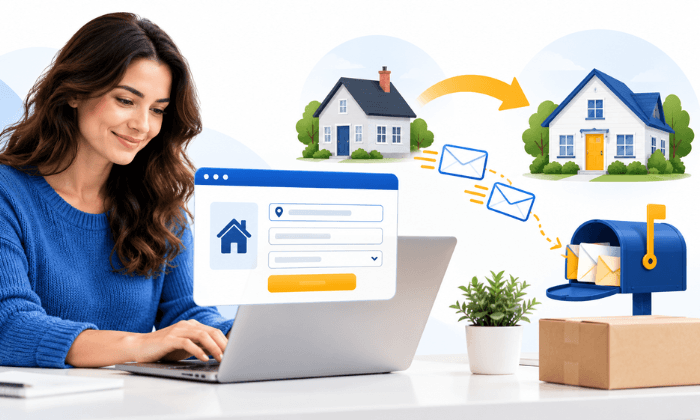
Changing your mailing address involves more than filing a USPS forwarding request. You also need to update the organizations that mail you, check saved delivery addresses, and confirm each change took effect.
Start before moving day. Confirm your new address, choose the correct forwarding option, notify senders, and track anything already on its way.
The checklist below helps you manage those tasks without relying on forwarding to handle every delivery.
1. Confirm the Address and Everyone Who Is Moving
Write your new address exactly as the receiving location provides it. Check the street number, street name, directional, apartment or unit number, city, state, and ZIP Code. For a private mailbox, include the assigned mailbox number in the required format.
Check who needs a USPS change-of-address order. Use an individual request when one person moves, or some household members stay.
People with different last names need separate individual requests. Use a family request when everyone sharing that last name moves from the same address to the same destination.
For example, if two roommates move to different apartments, they should not use one family request.
Each needs forwarding that matches their own name and destination.
2. Choose Temporary or Permanent Forwarding
Choose a permanent change of address when you are moving without a planned return to the old address.
Permanent does not mean indefinite forwarding; standard forwarding generally covers eligible mail for the first 12 months, with different rules for some mail classes.
For a stay with a return date, temporary forwarding starts at 15 days and goes up to 185 days.
USPS allows a second request to extend forwarding up to 364 consecutive days total.
Our guide to forwarding mail to a temporary address explains how to plan a seasonal stay or temporary relocation.
If you receive mail through a commercial mail receiving agency, such as a virtual mailbox provider, plan any departure with that provider.
USPS cannot process a change of address from a CMRA to another address. Arrange onward handling with the provider and update senders directly.
3. Submit Your USPS Request and Complete Verification
Start online using the official USPS forwarding page, or visit a Post Office to complete the process in person.
USPS currently charges $1.25 for online identity verification. You can submit a change of address in person without that online fee.
- Enter the moving names, old and new addresses, move type, and effective date.
- Complete the required identity verification and follow any instructions for an in-person visit.
- Save the confirmation code and review the confirmation details.
Bring acceptable, current identification when visiting a Post Office. If online verification directs you there, bring the email and barcode described in the USPS instructions.
Allow Time for Forwarding to Take Effect
USPS advises allowing at least 7–10 business days after approval for a request to take effect. That setup period is separate from the delivery time for each forwarded item.
Forwarding depends on mail class and sender instructions. A sender may require an undeliverable item to be returned instead. Update senders before they dispatch documents you need by a deadline.
4. Notify Senders Using an Address-Change Tracker
Build your list from recent mail, account statements, recurring charges, and pending orders. Start with senders whose next mailing could affect a payment, benefit, document, or delivery.
| Who to notify | Records to review | What to confirm |
| Banks, card issuers, lenders, and insurers | Correspondence, billing, and required residence or coverage details. | The address saved for each account and any pending mailing. |
| Government agencies and tax authorities | Tax, benefits, identity, vehicle, and election records that apply to you. | The agency’s own update process and deadline. |
| Employer and benefit providers | Payroll, tax documents, retirement, and benefit correspondence. | Which systems the HR update covers. |
| Utilities and service providers | Service location, start/stop dates, and final bills. | The service address and the address for later correspondence. |
| Healthcare providers, schools, and memberships | Contact and correspondence records. | Which office or account needs a separate update. |
| Retailers and subscription services | Default shipping details and each active order. | The address on the next shipment. |
| Clients, suppliers, and business contacts | Invoices, contracts, and return or delivery instructions. | Where each type of business correspondence should go. |
For federal tax records, the IRS lists Form 8822 for individual address changes and Form 8822-B for business changes among its notification methods. Follow the instructions that apply to your situation.
Government deadlines and address requirements vary. Check each agency’s current instructions, including the state agencies responsible for your driver’s license, vehicle registration, and voter registration.
Record Confirmation, Not Just Submission
For each organization, record the date you requested the change, the address fields you changed, and how you confirmed the result.
Keep any reference number in your records.
A useful tracker has separate columns for mailing address, billing address, shipping address, and service or residential address.
One account can store more than one of these.
For example, updating your bank’s statement mailing address does not establish that your employer changed its payroll record.
Treat each sender’s confirmation as a separate task.
5. Check Orders and Renewals Before They Ship
Review open orders, subscriptions, replacement cards, and other deliveries already scheduled.
Updating your default address may only affect future transactions.
Suppose you change a store profile today, but yesterday’s order confirmation lists your old apartment.
Check that order with the seller. If a shipping label already exists, ask the seller or carrier which changes remain available.
Review these places before your next purchase or renewal.
- The address attached to the individual order
- Subscription delivery details and the next processing date
- Saved checkout profiles and payment-wallet delivery addresses
- Browser autofill and address books on devices you use
Check the final confirmation screen even after changing an account’s defaults. It gives you another chance to catch an old unit number or ZIP Code before dispatch.
6. Review Incoming Mail After the Move
Use the first deliveries to check your updates. A forwarding label can identify a sender whose records still need attention.
Contact that sender instead of relying on repeated forwarding.
Review bills and account notices through the sender’s portal while mail is in transition. If something expected doesn’t arrive, ask the sender when they mailed it and which address they used. For a tracked package, review the carrier’s current status and contact the appropriate support team.
Keep your tracker active through billing cycles and renewals.
Before annual statements or other infrequent documents are issued, verify the sender’s record again.
7. Consider a Virtual Mailbox if Your Location Changes Often
A virtual mailbox gives you a mailing address you can keep using while you travel or change residences.
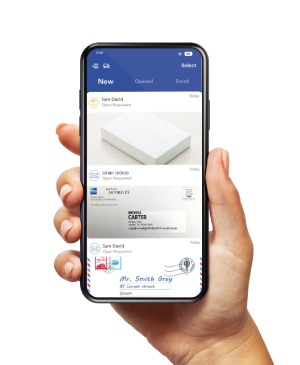
PostScan Mail receives mail at your selected location and uploads exterior images after processing. You can request content scans, forwarding, storage, or other available handling.
Set up the account and complete the required identity verification before directing mail there. USPS deliveries at U.S.CMRA locations require USPS Form 1583.
That authorization lets the provider receive mail; it does not itself reroute mail from an old address.
Check location services, package acceptance, scan allowances, storage periods, forwarding charges, and pickup availability.
When you need originals sent onward, include provider processing and carrier transit in your plans.
The service manages mail at that address. Acceptance for banking, business filings, licenses, or other uses depends on the institution, jurisdiction, and address.
Finish With a Delivery Plan You Can Verify
A mailing address change is easier to manage when you can confirm every task.
Save the USPS request details, update senders, check pending deliveries, and follow up on mail still addressed to your previous location.
To manage mail online during future moves or travel, explore PostScan Mail’s virtual mailbox service and choose a mailing address that fits your receiving and forwarding needs.
Access & Manage Your Postal Mail
Anywhere Anytime!
Receive mail anywhere, on any device.
We offer 1000+ mailing addresses for both personal and business use.