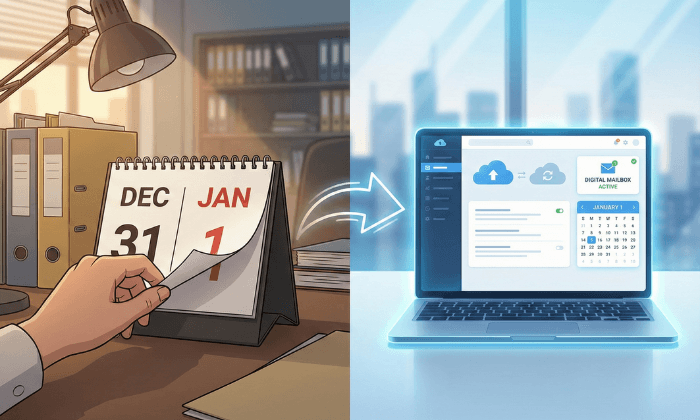
January 1 can work as a target date for switching to a virtual office because it gives you a deadline to review costs, update your mailing address, and establish a mail-handling routine for the year ahead. Complete setup before the holiday so your account is ready when business resumes.
The right date depends on your needs. A January start does not create a tax benefit, end an office lease, or make an address acceptable for every business purpose.
If you work from home or run a remote business, your main need may be a business mailing address and access to mail online. PostScan Mail supports that part of your setup through its virtual mailbox and digital mailroom platform.
First Decide What You Need From a Virtual Office
A virtual office can combine a business address with services such as mail handling, call answering, or access to meeting rooms. The package depends on the provider.
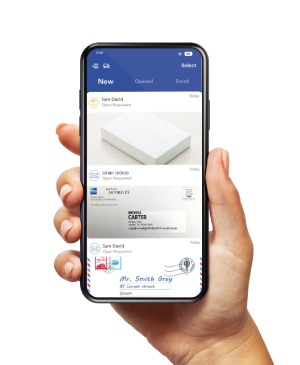
A virtual mailbox focuses on receiving and managing physical mail online. PostScan Mail receives items at your selected address, uploads envelope or package-label images, and lets you request content scanning, forwarding, storage, shredding, or recycling. Local pickup is available at participating locations.
If mail management is your main requirement, a virtual business address with online mail access may meet your needs. Review phone services and workspace access separately if you need them.
Why January 1 Can Help You Organize the Switch
Set One Date for Updating Your Business Materials
Use the start of the year to coordinate changes to your website, invoice templates, client documents, and vendor records. A shared target date helps you track which updates are complete.
Activate the address before printing materials or telling senders to use it. Record the full address and assigned mailbox number in one place so everyone uses the same format.
Review Mail Costs Alongside Your Budget
If your planning year begins in January, review mailing costs while you set the budget. Estimate incoming mail, content scans, forwarding frequency, package volume, and the number of recipients.
For a business already working remotely, the decision may be whether to add mail management to a home office. For a business leaving rented space, compare the costs you can stop paying with the services you still need.
A mailbox subscription does not cancel rent, equipment commitments, or other contracts. Include any overlap costs in your transition budget.
Establish a Routine for Documents and Follow-Up
Decide who reviews incoming mail, who handles notices, and where your team stores downloaded scans. Separate routine correspondence from items that need a response or an original paper copy.
PostScan Mail’s mail-management features include searching, filtering, and organizing mail into folders. Use those tools to support a review routine instead of letting digital items accumulate unread.
For example, a consultant could review incoming mail each business day, request a scan of a client letter, and forward an original document when needed. This is an example workflow, not a promise about processing or delivery time.
Complete Setup Before the New Year’s Holiday
January 1 is a USPS holiday. Review the USPS holiday calendar and confirm your selected PostScan Mail location’s receiving, processing, and pickup schedule.
Access to your online account does not mean staff process mail around the clock. You may be able to review an existing scan while a location is closed, but new scans and physical handling still depend on its operating schedule.
Allow time before your target date for identification checks, Form 1583, notarization, account activation, and sender updates. Ask about processing time rather than assuming signup means immediate readiness.
Build a Transition Plan Around Your Target Date
This schedule is a planning example. Adjust it to your provider’s requirements, existing contracts, and the time organizations need to update their records.
| Planning window | What to do | What to confirm |
|---|---|---|
| Early December | Define your needs and compare addresses | Package acceptance, pickup, fees, and intended address use |
| Mid-December | Complete account setup and authorization | Form 1583, identification, notarization, and activation |
| Before year-end | Test the mail workflow and notify senders | Address format, notifications, scans, and forwarding options |
| First business weeks of January | Review mail arriving at both addresses | Which senders still need an update and which items need action |
Choose the Address Based on Its Services
Check the exact location you want. Confirm package acceptance, pickup arrangements, storage terms, and item restrictions before subscribing.
If you intend to use the address for state filings, banking, licensing, or another regulated purpose, ask the relevant organization whether that address is acceptable for that use. A street address alone does not establish eligibility.
Complete Mail Authorization
PostScan Mail requires a notarized USPS Form 1583 for account activation. The form authorizes the provider to receive mail on your behalf.
Prepare the required identification, including photo and address identification. Follow the setup instructions for the business and other recipients who will receive mail. Online notarization is available, and notarization charges can apply.
Wait for confirmation that the account is ready before directing important correspondence to it.
Test Before Depending on the New Address
After activation, arrange a test letter using the complete assigned address. Confirm that it appears in your account and that you can receive notifications and request the actions you need.
Make sure your designated team member can find the item, read a requested scan, and identify what should happen to the original. Resolve problems before relying on the address for time-sensitive mail.
Keep the Old Mail Route Available During the Change
Update important senders directly and track their confirmations. Review the mailing-address change process and check which USPS forwarding options apply to your existing address.
If you are leaving a commercial mail receiving agency, arrange remailing with that provider. USPS does not process an individual change-of-address order out of a CMRA.
Monitor both mail routes during the transition. Close the old service only after reviewing its terms and confirming how you will receive remaining mail.
Update Organizations Separately From Your Mail Forwarding
Changing where mail is delivered does not automatically change every organization’s records. Keep a list of updates, submission dates, and confirmations.
| Record or sender | Action to take |
|---|---|
| IRS business records | Review the applicable address-change procedure and keep a copy of your submission |
| State business agency | Check mailing, principal-office, and registered-agent fields separately |
| Banks, payment providers, and insurers | Confirm accepted address types and required documentation |
| Clients, vendors, and recurring senders | Supply the full mailing address and request an update |
| Website and business materials | Update the address where appropriate and check forms and templates |
Businesses and other entities with an EIN application on file use IRS Form 8822-B to report changes to a business mailing address or location. Its instructions state that processing generally takes four to six weeks. Do not assume an update submitted near year-end will appear in IRS records on January 1.
January 1 starts a calendar tax year, but businesses can have other permitted tax years. Selecting a mailbox on that date does not change your tax year or establish how an expense must be treated.
Budget for Mail Handling Beyond the Subscription
PostScan Mail advertises virtual mailbox plans starting at $10 per month, with pricing varying by location. Compare the current plans and additional fees for your address and billing term.
Your total can include content scans beyond your allowance, forwarding handling and shipping, storage beyond the included period, additional recipients, shredding, oversized packages, and pickup charges at some locations.
Estimate the subscription, expected handling fees, shipping, and transition costs together. Compare that total with your current mail arrangement. Keep workspace and phone expenses separate when you still need those services.
Reduce Home Address Exposure Where You Can
Using a separate mailing address can reduce how often you share your home address on business correspondence and public-facing materials where that address is accepted.
It does not remove information already published in state records, directories, or other databases. Review those sources separately and follow each organization’s update process.
You may still need to provide your residential or operating address for identity checks, financial accounts, or government records. Treat mail privacy as decisions about where you share information, not a guarantee of anonymity.
Choose Another Date When Your Business Needs It
You do not need to wait for January if you are missing mail, moving, or preparing for travel. Likewise, do not rush a switch to meet January 1 if the address has not been approved for your intended use or your account is not active.
A lease end date, relocation, or business launch may provide a better target. Choose the date that lets you maintain access to mail and complete the required updates.
Set Up Your Business Mail Before the Year Begins
January 1 can give your switch a deadline. The benefit comes from completing the preparation, confirming the address’s suitability, and establishing a routine for handling mail.
Choose a Mailing Address, then review that location’s services and pricing before setting your transition date.
Access & Manage Your Postal Mail
Anywhere Anytime!
Receive mail anywhere, on any device.
We offer 1000+ mailing addresses for both personal and business use.