To get a virtual address for your LLC with PostScan Mail, choose a location and plan, complete the required verification, and activate mail receipt for your business. Before entering that address on a filing or application, confirm that it meets the requirements for that specific field.
A virtual mailbox provides a mailing location and online mail management. Renting one does not form your LLC, appoint a registered agent, or establish that your business operates at the mailbox location.
This guide covers U.S. LLC address planning and setting up PostScan Mail.
Can you use a virtual address for an LLC?
You can use a virtual address to receive LLC correspondence and in other fields that accept your particular arrangement. Mailing, principal office, registered agent, and owner address fields may have different requirements. Check the current instructions from the agency or institution receiving the information.
For example, Florida’s LLC filing instructions ask for the principal office street address.
They separately allow a P.O. Box for the mailing address and require a physical Florida street address for the registered agent.
The agent must also accept the appointment. These are Florida requirements, not a nationwide approval of any mailbox as a principal office.
PostScan Mail’s support guidance also tells customers to verify acceptance with the relevant agency or institution.
A provider’s permission to receive mail does not replace that check.
Separate the address fields before you apply
Write down the purpose of each requested address before choosing where to use your mailbox.
| Address field | What it identifies | What to verify |
|---|---|---|
| Mailing address | Where correspondence should arrive | Whether the sender or filing office accepts the mailbox for that field |
| Principal office or business location | The office or location defined by that filing’s instructions | Whether the address describes your business and meets the jurisdiction’s requirements |
| Registered-agent address | The appointed agent’s location for legal process | Eligibility, required location, consent, and a separate service arrangement |
| Owner or manager address | Information about the person or entity named in that field | The form’s instructions and any residence, street-address, or disclosure requirement |
For a business that operates from home, these answers may be a mailing address, an operating address, and an agent’s address, each for a different purpose.
Keep a record of which address you supplied for each purpose. Consistency means using each address accurately, rather than copying the mailbox into every field.
Set up your PostScan Mail address in six steps
1. Confirm the intended use before paying
Open the current formation form or your state’s address-change instructions.
Identify every address field and ask the filing office about any requirement you cannot resolve from its instructions.
If you plan to use the address for banking, licensing, or another account, check that institution separately.
Save the applicable instructions or confirmation. A state accepting one address field does not establish that a bank or licensing board will accept it for another.
2. Choose a location and plan
Compare PostScan Mail address locations once you know what you need.
Confirm the complete assigned address, accepted recipients, package limits, processing schedule, and pickup options at the selected location.
Estimate your full mail-handling cost.
Check the subscription, incoming-item allowance, content-scan charges, forwarding handling and postage, physical storage, additional recipient names, and pickup fees. Keep state filing and registered-agent charges separate from the mailbox quote.
Use your expected mail volume and handling needs to choose a plan.
Ask whether receiving mail for the LLC and for an owner requires additional recipient setup or charges.
3. Complete verification and activate business mail receipt
For USPS mail through a U.S. Commercial Mail Receiving Agency, complete USPS Form 1583 and provide the required identification.
Follow PostScan Mail’s Form 1583 setup process, which describes its online wizard, notarization options, and submission steps.
Use the current accepted photo-ID and address-ID lists. Complete the business information and authorized-recipient details that apply to your account.
The application asks for identifying information in addition to the new mailbox address.
Wait for confirmation that the account and business recipient are ready to receive mail.
Use the address and mailbox number the provider assigned. Do not assume that payment alone completes verification.
4. Use the address only in permitted state filing fields
When forming the LLC, enter the mailbox only where the current filing instructions and your business circumstances require it.
Supply the required principal office and owner or manager information separately when the form calls for it.
Arrange registered-agent service and obtain the necessary consent before naming an agent.
PostScan Mail offers registered-agent service, but a mailbox subscription alone does not appoint an agent.
Confirm the service and address for your state.
Keep the submitted filing and the state’s acknowledgment.
If the filing office rejects an address field, resolve the requirement with the filing office instead of relabeling a mailbox as an office.
5. Complete IRS and bank address fields separately
The IRS Form SS-4 instructions distinguish the mailing address on lines 4a–4b from the entity’s physical address on lines 5a–5b when different.
Line 6 asks for its primary physical location. Follow those instructions rather than treating the mailbox’s street address as evidence that your company operates there.
Ask your bank which address it needs for correspondence and which it needs for customer identification.
Federal bank identification rules require a principal place of business, local office, or other physical location for a customer that is not an individual.
A bank may accept a mailing address while requesting separate location evidence. Mailbox activation does not guarantee account approval.
6. Test mail handling before relying on it
Send a test letter using the approved LLC name and complete mailbox address.
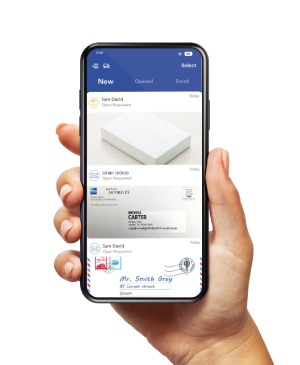
Check that the item appears in the account and that notifications reach the person responsible for reviewing mail.
An envelope image shows the outside of the letter.
Request opening and scanning when you need the contents, or arrange forwarding when you need the original.
Confirm processing times and charges before relying on either action for a deadline.
Update each record if your LLC already exists
Changing the address in your mailbox account does not update your state, IRS, bank, or other sender records.
Use an update log and retain each confirmation.
| Record | Action to take | Evidence to keep |
|---|---|---|
| State LLC record | Use the state’s current address-change procedure for the affected field | Accepted filing or acknowledgment |
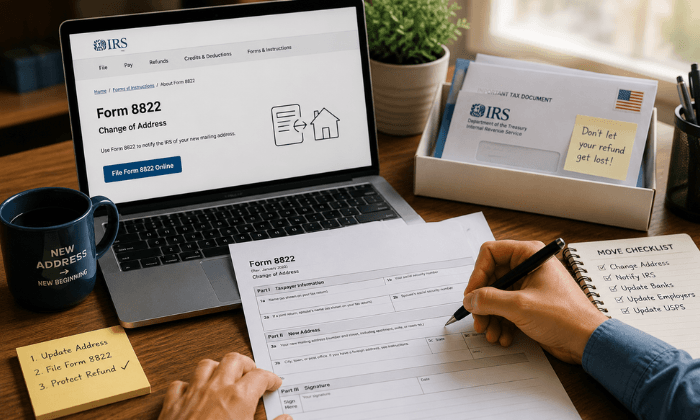
| IRS record | Follow Form 8822-B instructions for a business mailing-address or location change | Copy of the submitted form and mailing record |
| Bank and other account records | Update correspondence details and provide location evidence where requested | Account confirmation or institution response |
| Licenses, insurers, and suppliers | Notify each organization through its own process | Updated record or written confirmation |
The IRS identifies Form 8822-B as the form for reporting changes to a business mailing address, business location, or responsible party.
A state address update does not complete that IRS notification.
Keep access to the previous receiving arrangement while you check for missed senders.
Changing your business mailing address also does not, by itself, change your registered agent or the agent’s state record.
Choose the address around the fields you need
A virtual address can give your LLC a place to receive correspondence while you manage mail online.
It can reduce the need to display your home address when the relevant field permits it.
It does not remove required identity or location disclosures.
Review PostScan Mail’s virtual address for LLC service, confirm the selected location’s terms, and verify your intended uses before filing.
Keep the address, recipient setup, and agency records aligned as your business changes.
Access & Manage Your Postal Mail
Anywhere Anytime!
Receive mail anywhere, on any device.
We offer 1000+ mailing addresses for both personal and business use.