To complete your PostScan Mail signup, create your account, choose a location and plan, add every intended mail recipient, and finish the identity-verification process required for that mailbox.
For a U.S. address receiving USPS mail, this generally includes PS Form 1583, one acceptable primary photo ID, one acceptable secondary address ID, and witnessed or notarized signature confirmation.
Wait until PostScan Mail confirms that your mailbox is ready before directing important mail to it.
Creating an account and paying for a plan do not, by themselves, complete postal authorization.
PostScan Mail signup checklist
Have these details ready before you begin:
- The city or specific PostScan Mail location you want.
- Your expected monthly number of letters and packages.
- Every individual and business name that should receive mail.
- A current acceptable photo ID.
- A current secondary document that verifies your permanent address.
- A device with a camera if you plan to use online notarization.
- A payment method for the plan and any optional verification service.
- The sender accounts you will update after activation.
The mailbox address is a receiving address. It does not establish residence, domicile, an operating office, or eligibility for services that require those facts.
How to complete your PostScan Mail sign-up
Step 1: Choose a location
Start with the PostScan Mail location directory. Compare the address, pickup availability, local operating details, and any location-specific services.
Choose around your real workflow. If you plan to collect packages, travel distance and pickup hours matter. If you will manage everything remotely, processing and forwarding terms may matter more than proximity.
Do not assume every location accepts the same package sizes, carriers, or special mail services. Check the selected location before sending unusual, oversized, valuable, or time-sensitive items.
Step 2: Select a plan
Estimate your normal monthly volume and the actions you will request. Review:
- Incoming mail and package allowance.
- Number of included recipients.
- Included open-and-scan requests and page limits.
- Excess-item and extra-page fees.
- Forwarding handling and shipping costs.
- Letter and package storage periods.
- Pickup availability and possible local charges.
Check the current PostScan Mail pricing and fees before checkout. Prices and included services can change, and location-specific terms may apply.
For example, a customer receiving 40 items but requesting only two content scans has a different cost pattern from someone receiving 20 items and scanning almost every letter. Compare the whole workflow, not just the subscription price.
Step 3: Create your account and add recipients
Enter your contact and payment details accurately. Add the legal names of the individuals and businesses that should receive mail.
A recipient is a name authorized to receive mail at the mailbox. The plan’s recipient allowance affects how many people or organizations can use it. A login user and a mail recipient may not always be the same thing, so confirm both when setting up a household or team.
Use consistent spellings across the account, identification, and Form 1583. A nickname, missing business suffix, or address mismatch can delay review.
Step 4: Complete the required verification
For a U.S. mailbox that receives USPS mail through a commercial mail receiving agency, PS Form 1583 authorizes the agency to receive mail for you.
PostScan Mail provides an online wizard under Settings > Account Settings > USPS Form 1583. You can use an online notary through the workflow or complete the process with a local notary and upload the finished form. Some locations may support in-person verification.
PostScan Mail says Form 1583 is not required for international locations or for U.S. customers receiving only non-USPS deliveries; identity verification is still required. Follow the instructions shown for your selected mailbox rather than assuming one process applies to every address.
The USPS CMRA rules allow the applicant to sign or confirm a signature in the physical or real-time virtual presence of an authorized CMRA representative, or acknowledge it before an eligible U.S.-commissioned notary.
Step 5: Submit acceptable identification
USPS rules require one acceptable primary form and one acceptable secondary form for a CMRA application. Both must be current.
Primary photo ID examples include an eligible government ID, U.S. or foreign passport, Matricula Consular, NEXUS card, or an eligible U.S. university ID.
Current secondary ID examples include:
- Lease, mortgage, or deed of trust.
- Voter or vehicle registration card.
- Home or vehicle insurance policy.
- Form I-94, Arrival and Departure Record.
- Another acceptable primary ID that also supports verification.
The current USPS identification standards do not list utility bills among the secondary examples. They also say Social Security cards, birth certificates, credit cards, and similar items are unacceptable.
Use the live USPS and PostScan Mail lists when preparing your documents. An older article or saved checklist may no longer reflect current rules.
Step 6: Confirm approval before using the address
Submission is not the same as approval. Check the account for requests to correct a form, replace an expired document, or resolve mismatched information.
Do not send high-value packages, government records, legal notices, or deadline-sensitive mail until PostScan Mail confirms that the mailbox is authorized and ready. Save the confirmation and the exact address format provided.
USPS rules allow mail to be returned as undeliverable if a required PMB or number is missing. Copy the address exactly rather than removing the mailbox identifier to make it look like an occupied office.
Common signup problems and how to fix them
| Problem | What to check |
|---|---|
| Verification remains incomplete | Confirm that the form, both IDs, signature verification, and every required field were submitted |
| ID is rejected | Check expiration, legibility, document type, and whether the secondary document verifies the permanent address |
| Names do not match | Use consistent legal names on the account, form, and ID; add the correct business name as a recipient |
| Address does not match | Compare the permanent address on the form with the address evidence |
| Spouse cannot receive mail | Each spouse needs a separate Form 1583 and acceptable IDs for personal or residential PMB use |
| Mail is returned | Check activation status and use the exact address format, including PMB or number |
| Package is refused | Verify the location’s carrier, size, weight, content, and storage rules |
If the account shows no clear reason for a delay, contact PostScan Mail support with the mailbox location and a description of the issue. Do not send full identification numbers or sensitive documents through an unverified channel.
How to start receiving mail after activation
Once the mailbox is approved, update senders directly with the exact new address. Begin with a few routine senders so you can confirm the address format and receiving workflow.
A USPS change-of-address request can redirect eligible mail from an old U.S. address, but it does not forward every item.
USPS says some government, financial, medical, and other sensitive documents may be restricted, and USPS Marketing Mail generally is not forwarded unless the sender pays for forwarding.
USPS also advises allowing at least 7–10 business days for an approved change of address to take effect. Review the current USPS forwarding rules and exclusions before depending on it.
Use direct sender updates as the long-term method. Keep a transition list that records:
- Sender or account.
- Date updated.
- Address entered.
- Confirmation received.
- First item delivered successfully.
Do not use a standard change-of-address order when closing a CMRA mailbox.
USPS CMRA rules say the customer and agency will not file one when their relationship ends. Ask PostScan Mail about its closure and remailing terms, then update senders directly.
What happens after your first mail item arrives?
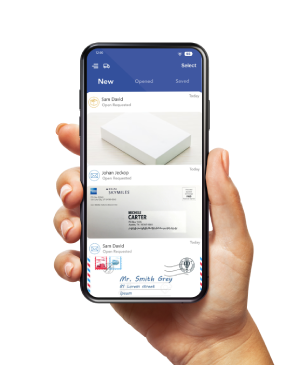
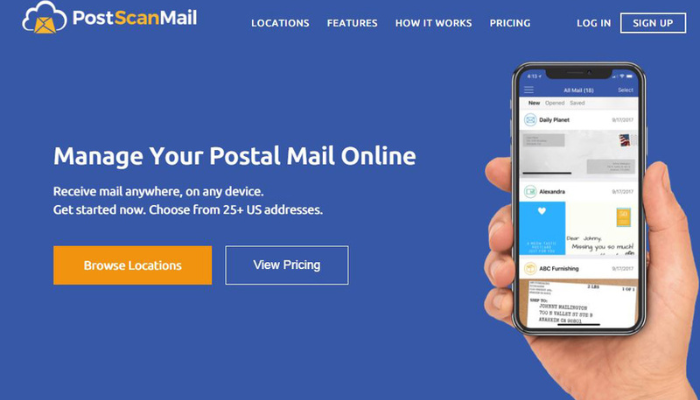
PostScan Mail uploads an exterior image of the item to your online account. You can then request supported actions, such as opening and scanning the contents, forwarding the original, storing it, arranging pickup where available, or disposing of it.
An exterior image is not a content scan. A content scan requires an open-and-scan request and may use an included allowance or create a fee.
Set a simple routine:
- Check notifications and review the inbox regularly.
- Request content scans only when needed.
- Flag originals that must be retained or forwarded.
- Act on time-sensitive correspondence outside the mailbox platform.
- Remove unneeded items before storage charges begin.
For a team mailbox, assign a primary owner and a backup. A digital image can make mail visible, but someone still needs responsibility for deadlines, payments, signatures, and responses.
Finish signup before changing important senders
A reliable setup has three separate milestones: the account exists, verification is approved, and the first test item arrives correctly. Treat each as a checkpoint.
Choose your PostScan Mail address and plan, complete the verification shown in your account, and wait for confirmation. Then update senders gradually and test the mailbox before relying on it for critical correspondence.
Access & Manage Your Postal Mail
Anywhere Anytime!
Receive mail anywhere, on any device.
We offer 1000+ mailing addresses for both personal and business use.



![Stay Connected Anywhere with PostScan Mail [Ultimate Guide]](https://d272m8pnbh08wa.cloudfront.net/wp-content/uploads/2024/12/Stay-Connected-Anywhere.jpg)