Before buying from your drop-shipping store, customers should be able to identify the seller, contact support, understand delivery times, and find the return process.
Your business address is one part of that information.
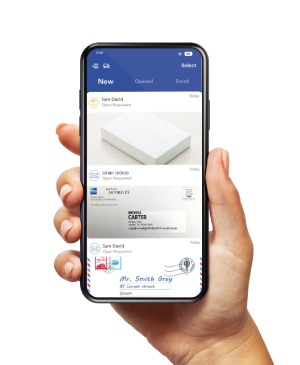
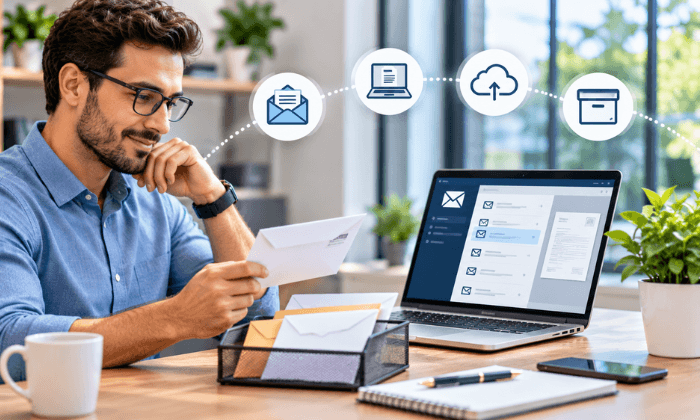
A virtual business address for drop-shipping gives you a mailing location where a provider receives correspondence and eligible packages. With PostScanMail, you can review incoming items online, request content scans, and arrange forwarding.
Confirm the selected location’s return-handling capabilities before directing customers there.
Use the address to describe a service you actually have. A mailing location doesn’t mean you operate an office, stock products, or ship customer orders from that building.
What a Drop-shipping Business Address Does
In dropshipping, a supplier typically ships the product directly to your customer.
Your store still needs a process for business correspondence, customer questions, and returns.
A virtual mailbox can separate customer-facing correspondence from deliveries to your home.
It can also provide a receiving point for supplier documents, samples, or approved customer returns. Those uses depend on the provider’s terms and the location’s capabilities.
Keep the purpose of each address clear.
| Address role | Purpose | Confirm before use |
| Business mailing address | Receives correspondence. | Sender acceptance, approved names, and complete mailbox format. |
| Return address | Receives authorized customer returns. | Accepts products, handles them, inspects them, and routes them to the next destination. |
| Ship-from address | Identifies where customer orders leave. | The supplier or fulfillment location actually dispatching each order. |
| Operating address | Identifies where your business works. | The address requirements of the institution requesting it. |
Use accurate labels on your website and supplier records. If the address is for correspondence, identify it as a mailing address.
Do not describe it as a warehouse, headquarters, or customer service office unless that description is true.
Build a Business Profile Customers Can Check
Make the Seller’s Identity Clear
Use a consistent store name across your website, invoices, order emails, and support channels.
If a legal entity operates the brand under a different name, explain the relationship where customers need to identify the seller.
Replace generic About page claims with facts you can support: what you sell, who operates the store, and how customers can reach your team.
Avoid invented founder stories, customer counts, awards, or affiliations.
Provide Contact Methods You Monitor
Publish an email address or support form that reaches your team. If you offer telephone support, state the hours and time zone.
Set a response target you can maintain, and assign someone to monitor each channel.
A mailing address helps customers send correspondence. It does not answer an order question or resolve a complaint.
Make the support route visible on product pages, order confirmations, and your contact page.
Support Your Shipping Promises
Separate supplier processing time from carrier transit. Check the shipping origin, tracking availability, and delivery performance before advertising a timeline.
Do not imply domestic fulfillment simply because your store has a U.S. mailing address.
For most goods ordered online in the United States, the FTC’s Mail, Internet, or Telephone Order Merchandise Rule requires a reasonable basis for the advertised shipping time.
Without a shipping-time statement, the general standard is shipment within 30 days. If you cannot meet the applicable time, the rule requires delay consent and refunds.
Use supplier records and test orders to support your published promises. A supplier’s product listing alone may not tell you how orders perform for your customers’ destinations.
Give Customers a Return Procedure They Can Follow
Explain the return window, eligible conditions, how to request authorization, who pays postage, and how you handle refunds or exchanges.
Check applicable laws and marketplace rules when setting the policy.
Before offering a mailbox location as a return destination, confirm you accept your products, the expected volume, carriers, package sizes, and recipient names.
Decide who will inspect the contents and where each return should go afterward.
Receiving a return and approving a refund are separate tasks.
Match the tracking number and parcel record to the customer’s order, record the inspection decision, and complete the customer resolution through your store.
Show Product Information You Can Support
Order samples before relying on supplier photos or descriptions. Check the dimensions, materials, included parts, instructions, and packaging relevant to your product.
Use your findings to correct listings and answer questions.
Publish customer reviews without inventing experiences or outcomes. Display badges, certifications, and partner logos only when you have a basis to use them.
An address cannot substitute for product evidence.
Explain the Address Without Creating a False Impression
For a store with a correspondence-only address, wording such as Mailing address for business correspondence makes its purpose clear.
If customers must obtain return authorization first, state that next to the return instructions.
Keep the description consistent across your footer, contact page, invoices, and policies.
When a platform asks for another type of address, follow that field’s requirements instead of copying the mailing address into every form.
How PostScan Mail Supports the Mailing Process
PostScan Mail provides an online mailbox for reviewing received letters and packages.
Envelope or shipping-label images help identify incoming items; opening a letter and scanning its contents requires a separate handling request.
You can request physical forwarding and, where available, local pickup.
The returns service also supports routing received merchandise to your own facility or a fulfillment partner.
Confirm any contents photography, inspection, testing, or preparation you need before treating a returned item as ready for resale.
Keep records that connect postal items to business tasks.
For example, assign a supplier agreement to the person reviewing it and a returned parcel to the person resolving that order.
A notification tells you an item is available; it does not complete the work.
Set Up Your Drop-shipping Mailbox
- Choose a receiving location.
Confirm its carrier acceptance, package limits, return-handling options, hours, and forwarding destinations. - Compare the plan and fees.
Estimate incoming items, content scans, recipients, physical storage, forwarding handling, and postage. - Complete verification.
For USPS mail at a U.S. commercial mail receiving agency, submit Form 1583 and the required identification, including photo and address evidence. Wait for approval. - Approve the names that will receive mail.
Include the business or brand names required for your workflow and confirm any additional-recipient charges. - Copy the assigned address exactly.
Keep the mailbox identifier and notify the senders and platforms that accept it for the intended purpose.
Do not assume scanning or storage is unlimited. Letter and package allowances differ, and PostScan Mail’s published storage terms vary by billing period.
Compare the whole process against the work you expect the location to handle.
Test the Profile and Receiving Process Before Launch
Run these checks before publishing the address or sending traffic to the store:
- Send a message through every published support channel and confirm who receives it.
- Review a product page, checkout, order email, and policy page for conflicting shipping or return information.
- Send a test letter or approved parcel to the mailbox and match its record to your own reference.
- Walk through a return from authorization to receipt, inspection, refund, and the item’s final destination.
Consider an illustrative order fulfilled by an overseas supplier.
Your U.S. mailbox accepts an authorized return, and your team forwards it to a partner for assessment.
The customer-facing profile should explain the product’s shipping origin and return procedure; the U.S. mailing address should not imply that the original order shipped from there.
Make the Address Part of a Process You Can Deliver
A business profile gives customers information they can check. Keep the seller identity, contact details, shipping promises, and return instructions aligned with how the store operates.
Explore PostScan Mail’s dropshipping mail and return-handling services, confirm the selected location’s capabilities, and test the workflow before publishing your address.
Access & Manage Your Postal Mail
Anywhere Anytime!
Receive mail anywhere, on any device.
We offer 1000+ mailing addresses for both personal and business use.