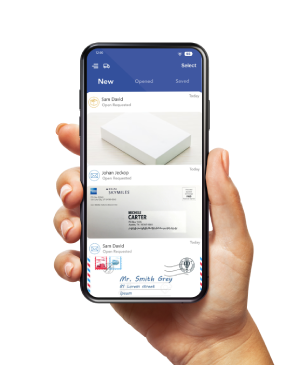
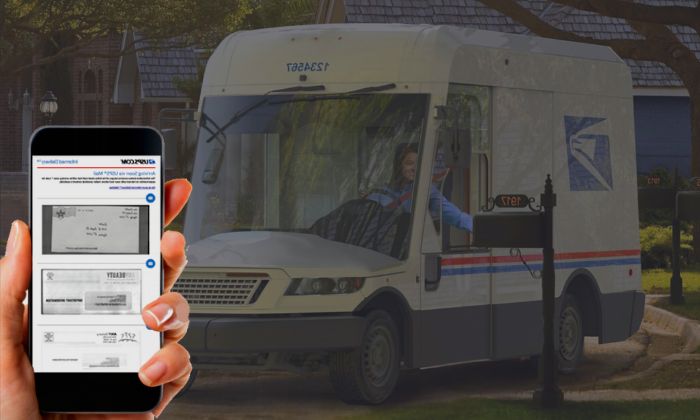
USPS Informed Delivery is a free service that previews eligible incoming mail and shows package tracking information. You can view notifications in a Daily Digest email, online dashboard, or the Informed Delivery Mobile app.
It is useful for seeing what may arrive soon. It does not show the contents of a letter, include every mail piece, or guarantee that a previewed item will arrive that day.
| What You Need to Know
USPS photographs the address side of eligible letter-sized mail while it moves through automated equipment. Informed Delivery matches those images to an eligible address and sends a preview. Packages appear through USPS tracking data, not envelope images. |
What Does Informed Delivery shows
Letter-size mail
USPS may show a grayscale image of the exterior address side of an eligible letter-size mailpiece processed on automated equipment. It does not open or photograph the contents.
Packages
The dashboard can show tracking status for incoming and outbound USPS packages linked to the account. Users can also add an eligible tracking number manually.
Larger mail
Some catalogs, magazines, or other pieces may show a representative image or notice. Coverage varies. Do not expect a preview for every item.
Delivery notifications
Users can manage available email and text preferences. USPS also offers an opt-in mail-delivery notification setting. A notification is a status signal, not proof that every previewed piece is inside the mailbox.
How Does USPS Informed Delivery Work?
-
- USPS processes mail through sorting equipment. Eligible letter-sized pieces are photographed on the address side.
- USPS matches available images and package tracking data to an eligible delivery point.
- The customer receives a Daily Digest or checks the online dashboard or mobile app.
The notification means an item is moving toward the address. USPS states that mail and packages may arrive several days after the notification.
Is Informed Delivery the Same as USPS Tracking?
No. A mail preview is not item-level tracking. It shows that USPS imaged an eligible mailpiece during processing, but it does not provide scan-by-scan movement or proof of delivery.
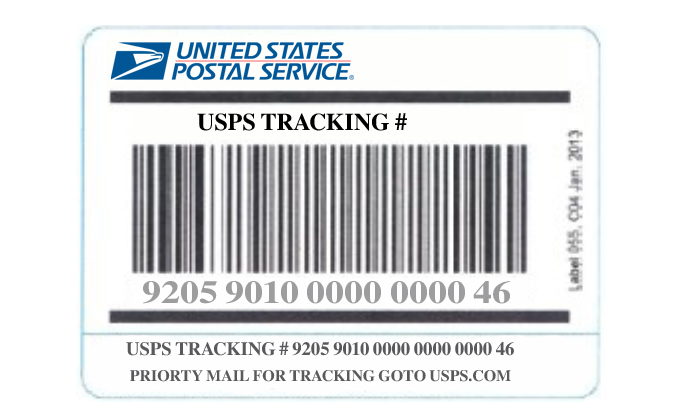
USPS Tracking uses a barcode to show package or eligible mailpiece status.
Informed Delivery can display that tracking information in the same dashboard.
Who Is Eligible?
Eligible residential, business, and PO Box addresses in supported ZIP Codes may use Informed Delivery.
The mailbox must be uniquely coded, so some apartments or condominiums may not qualify at the unit level.
A USPS.com business account is required when enrolling a business street address or business PO Box. USPS confirms eligibility during sign-up.
How Much Does Informed Delivery Cost?
Informed Delivery is free. Some optional package services shown in the account may have separate USPS fees, but there is no subscription charge for Informed Delivery itself.
How to Sign Up
-
- Go to the official USPS Informed Delivery page and choose Sign Up for Free.
- Enter the address to check eligibility.
- Create or sign in to the correct personal or business USPS.com account.
- Complete identity verification. If online verification is unavailable, USPS may direct you to an eligible Post Office location.
- Choose notification settings and begin using the dashboard or mobile app.
Why Does a Previewed Letter Arrive Later?
Informed Delivery shows mail that is arriving soon, not a guaranteed delivery appointment. A piece can be delayed after it is photographed because of transportation, sorting, weather, address, or local delivery conditions.
- Allow several days after the notification, as USPS advises.
- Check the delivery address and unit number with the sender.
- Review USPS service alerts if several items are delayed.
- Use the “I did not receive this mailpiece” option when it appears in the account.
- Follow USPS delayed-mail or Missing Mail steps when the item meets the applicable timing rules.
Key Limitations
- It does not show the contents inside an envelope.
- It does not image every mailpiece or guarantee that every package will appear.
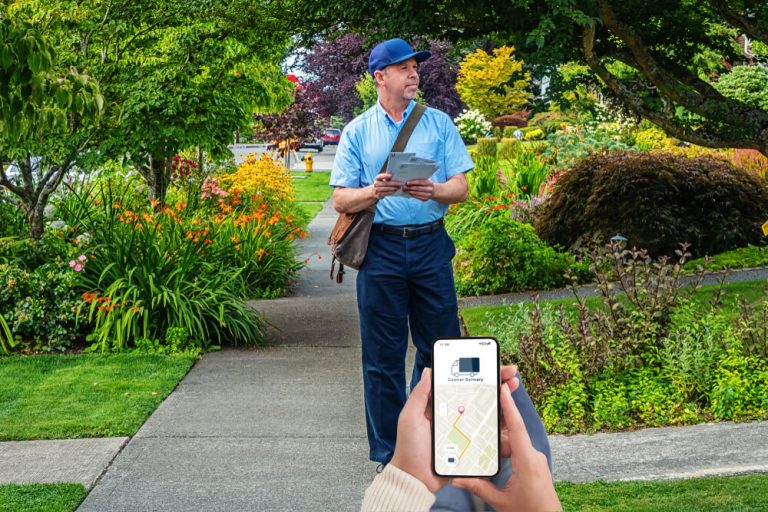
- It does not provide a live map of the mail carrier.
- A preview is not proof of delivery and does not guarantee same-day arrival.
- It covers USPS information, not deliveries handled only by UPS, FedEx, DHL, or another carrier.
- Eligibility depends on the exact address and USPS account verification.
Informed Delivery vs. a Virtual Mailbox
The services solve different problems. Informed Delivery previews eligible USPS mail moving toward an existing address. A virtual mailbox manages items after they reach the selected mailbox location.
| Feature | USPS Informed Delivery | Virtual mailbox |
|---|---|---|
| When information appears | Before or near delivery, based on USPS processing and tracking. | After the item arrives at the selected mailbox location. |
| Letter view | Exterior address-side preview for eligible mail. | Exterior item image, plus content scanning when requested and available. |
| Mail actions | Limited package-management actions for eligible USPS items. | Forward, store, recycle, shred, or pick up where the plan and location allow. |
| Carriers | USPS mail and package information. | Carrier and package acceptance varies by the selected location. |
| Cost | Free. | Paid service with plan and location terms. |
What to Keep in Mind About Informed Delivery
USPS Informed Delivery is an essential, cost-free tool for anyone looking to stay ahead of their daily mail and parcel arrivals.
By offering digital previews, streamlined package tracking, and remote delivery options, it transforms how households and businesses manage their physical mailboxes.
While it serves as an early notification system rather than a guaranteed same-day delivery service, enrolling in USPS Informed Delivery provides a reliable layer of convenience, security, and peace of mind for your daily mail routine.
| Need to manage physical mail after it arrives? Find a PostScan Mail Location |
Access & Manage Your Postal Mail
Anywhere Anytime!
Receive mail anywhere, on any device.
We offer 1000+ mailing addresses for both personal and business use.