Waiting for an important letter or package can be frustrating, especially when you do not know whether it is still moving through the USPS network, already at your local Post Office, out for delivery, or delayed.
The fastest solution depends on the type of item. A package with a tracking number can have scan-by-scan updates. An ordinary First-Class Mail letter usually does not have item-level tracking.
USPS Informed Delivery can preview eligible incoming letter-sized mail, but it is not a live mail-carrier tracker and the preview does not guarantee same-day delivery.
Use the steps below to identify the right USPS tool, understand the latest status, and know when to request help.
| What You Need to Know
There is no public USPS tool that shows a mail carrier or mail truck moving through your neighborhood in real time. Track the mail piece instead: enter the tracking number for an eligible package, check Informed Delivery for eligible incoming letters and packages, review USPS service alerts, schedule redelivery after a missed attempt, or start a Missing Mail search when the item meets USPS timing requirements. |
Table of Contents
Can I Track My Mailman?
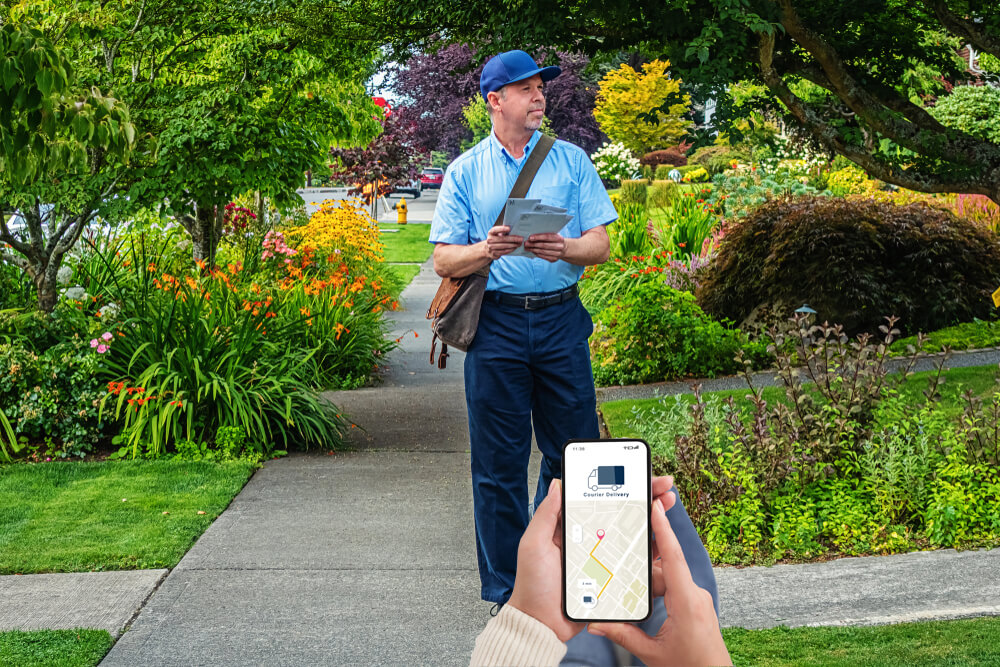
No. USPS does not provide a public live map, GPS tracking, or real-time location updates for mail carriers, delivery vehicles, or routes. Because daily mail volume, weather, and route conditions fluctuate continuously, USPS cannot determine or guarantee the exact minute a carrier will arrive at a specific address.
Use the official USPS delayed-mail guidance and USPS Tracking basics for the current rules.
How to Track the Mailman?
setting up these tools will help you track the exact status and progress of incoming items in the future
- USPS Informed Delivery: Provides daily grayscale preview images of incoming letter-sized mail and centralizes package tracking in a single dashboard. While it gives advance notice of incoming items, it is not a live carrier tracker, and mail may arrive a few days after appearing in your preview.
- USPS Tracking: Use the tracking barcode assigned to eligible packages and mail classes to view point-to-point scan updates as the item moves through processing facilities, arrives at the local Post Office, and goes out for delivery.
- USPS Text & Email Notifications: Enroll through the USPS Tracking page for specific tracking numbers to receive direct updates whenever a new scan is recorded or the package reaches key milestones.
Review current USPS service alerts before assuming that one package or letter is lost.
Match the Tool to the Mail-piece
| What you are waiting for | Best first tool | Important limitation |
|---|---|---|
| Package or trackable mail | USPS Tracking | Shows scans, status, expected delivery information, and available actions. It does not reveal the carrier’s live location. |
| Ordinary First-Class Mail | Informed Delivery, sender confirmation, delivery standards, local Post Office | Standard letters generally do not include end-to-end USPS Tracking. |
| Letter image shown in Informed Delivery | Informed Delivery dashboard | The image means the piece is arriving soon. USPS says mail may not arrive the same day as the notification. |
| PS Form 3849 delivery notice | USPS Redelivery or Post Office pickup | Use the tracking number or notice barcode and follow the options shown on the notice. |
| Package marked Delivered but not found | Search safe locations, then submit a service request if needed | Packages may be placed in a mailbox, parcel locker, porch area, reception desk, or another secure location. |
| Item late beyond the applicable timeframe | USPS help request, Missing Mail search, or insurance claim | The correct option depends on the mail class, scans, insurance, and how long the item has been missing. |
For the full list and current instructions, use the official USPS Tracking Status Help page.
Common USPS Tracking Statuses Explained
- Shipping Label Created / USPS Awaiting Item: The sender created the label, but USPS has not yet scanned the package into its physical network.
- USPS in Possession of Item: The package has been received or picked up by USPS and is entering the network.
- In Transit / Moving Through Network: The item is being processed or transported through intermediate sorting facilities toward the destination Post Office.
- Arrived at Post Office: The package reached the local destination facility and is being sorted for local carrier routes.
- Out for Delivery: The package was prepared at the local Post Office for delivery that day. (Packages can arrive separately from standard letter mail).
- Notice Left (PS Form 3849): A delivery attempt was made, but a signature, payment, or clear access was required. Follow the form to schedule re-delivery or arrange pickup.
- Delivered: USPS recorded a final delivery location scan (mailbox, parcel locker, porch, or reception desk).
What to Do When Tracking Says Delivered but the Package Is Missing
A Delivered scan does not always mean the package is directly in front of the main door. USPS records the delivery location when available, and a carrier may use a secure or designated area.
- Read the full tracking details and look for the recorded delivery location.
- Check the mailbox again later in the day because packages may be delivered separately from ordinary mail.
- Check the porch, garage, side or back entrance, weather-protected areas, and places that are not visible from the street.
- Look for a parcel-locker key in a community mailbox and match it to the locker number.
- Ask household members, neighbors, reception staff, or building management whether they accepted the package.
- Confirm that the shipping address, unit number, and ZIP Code on the order were correct.
- If the package is still missing after more than one postal business day, use the USPS online support path to submit a service request to the local Post Office for an eligible item.
Schedule Redelivery or Pick Up a Missed Item
When USPS leaves PS Form 3849 due to a missed delivery attempt, you have several options:
- Schedule Redelivery: Use the notice barcode or tracking number online to select a new delivery date or specify a safe drop-off location.
- Post Office Pickup: Bring the notice along with a valid photo ID to the specified local Post Office to collect the item directly.
- Authorized Agent Pickup: Authorize someone else to pick up the package by filling out the designated section on PS Form 3849 according to USPS rules.
What If My Letter Has No Tracking Number?
Most ordinary First-Class Mail letters do not come with end-to-end tracking barcodes. Without a barcode, USPS cannot pull up a scan history inside the network. If an untracked letter is late:
- Confirm the mailing date, address details, and postage with the sender.
- Check Informed Delivery for preview images, keeping in mind that physical delivery can take a few extra days.
- Review current USPS delivery standards for First-Class Mail to verify if the expected window has passed.
- Contact the sender if the letter contained a check, statement, or critical document that requires reissuing or cancellation.
- File a Missing Mail search online if the eligible timeframe (typically 7 days from mailing) has passed.
USPS explains the limitation for ordinary letters in its First-Class Mail guidance.
Take Control of Your Mail Delivery
If waiting on uncertain USPS delivery windows or missing packages is a frequent issue, consider using a virtual mailbox service. With digital scanning and forwarding, you can view incoming mail online as soon as it arrives without waiting at the mailbox. Learn more about our services here.
| Manage Mail Without Waiting at the Mailbox
Choose an available mailing address, view received items online, and request the next available action from your PostScan Mail account. |