To avoid Black Friday shopping mistakes, compare the exact product and total cost, verify the seller, read the return terms, and choose a delivery plan that works while you are away. Complete those checks before a countdown timer or limited-stock message pushes you to pay.
Black Friday falls on November 27, 2026, and Cyber Monday follows on November 30. Retailers set their own promotion schedules. Neither date guarantees the lowest price for every item.
The four tips below cover U.S. online purchases, delivery planning, and what to do when an order goes wrong.
1. Compare the item and the total cost
Compare the same product across sellers before judging the discount. Match the model number, configuration, size, condition, and included accessories. A refurbished laptop and a new laptop with the same product name are different offers.
Set a spending limit and a target price for the items you intended to buy. Record prices before the sale so you have a reference beyond the advertised percentage off. If the item sells out, reassess the substitute instead of buying a different specification under pressure.
Include the costs that apply to your order. Shipping, taxes, required membership, installation, and later forwarding can change the comparison. Treat future store credit or conditional rewards separately from what you pay today.
The FTC’s online shopping guidance explains how to compare products, total costs, and seller terms. Save the offer and checkout record so you can check what you agreed to buy.
2. Verify the seller and payment route
Visit the retailer’s official website or app and confirm the offer appears there. A logo in an advertisement or message doesn’t show who runs the checkout page.
For an unfamiliar seller, look for independent information about its trading history, contact details, and complaints. On a marketplace, identify the actual seller and who handles returns. The platform’s name alone does not describe every seller’s terms.
When possible, use a credit card for online purchases and understand its dispute process. Stop if an unfamiliar seller insists you pay outside the platform or send gift-card numbers, a wire transfer, or cryptocurrency. Do not send login codes to someone claiming to fix your order.
Verify delivery alerts separately too. Open the carrier’s website or app and enter the tracking number from your order record. The Postal Inspection Service’s package-tracking scam guidance explains how unsolicited messages can impersonate USPS and request payment or personal information.
3. Read the return terms before buying
Check the policy for the particular seller and item, including sale, clearance, refurbished, and marketplace purchases. Save the terms shown when you order.
Record these details before checkout.
- The return deadline and when the window starts.
- Any final-sale exclusions or restrictions on opened items.
- Whether you receive a refund, exchange, or store credit.
- Who pays return shipping and whether a restocking fee applies.
- The condition, packaging, accessories, and proof of purchase needed.
For gifts, check the gift-receipt process and what the recipient can receive if they return the item. For forwarded orders, don’t assume the return window restarts when the parcel reaches you after its first delivery.
Keep a way to inspect the purchase within the applicable period. If it will sit at a receiving facility while you travel, ask what inspection or photographs are available and what they cost before relying on that service.
4. Plan delivery before checkout
Confirm where the order will arrive and who can receive or collect it. Review the address, apartment or mailbox identifier, carrier, delivery estimate, and any signature requirement before paying.
For a single purchase, an eligible store-pickup or carrier collection option may fit your plans. Check ID requirements, pickup deadlines, and hours. Wait for the pickup-ready notice before traveling to collect an order.
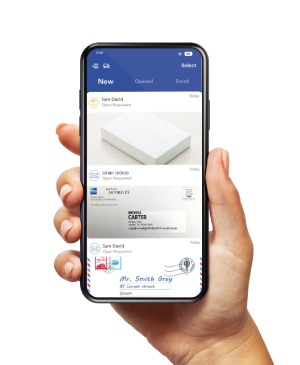
A virtual mailbox can help when you need a receiving address and ongoing online management. PostScan Mail’s package forwarding service lets you manage received packages and request onward shipping. Staff must receive and process an item before the account shows its information.
Check both sides of a forwarding arrangement
Before sending a Black Friday order to a mailbox, confirm the retailer accepts the address, and the selected location accepts the item. A street address does not override a retailer’s forwarding restrictions or buyer-protection conditions.
Complete the required verification and review the Form 1583 setup guidance for your service arrangement. Before ordering, confirm activation, recipient names, package limits, physical storage charges, processing hours, and forwarding options.
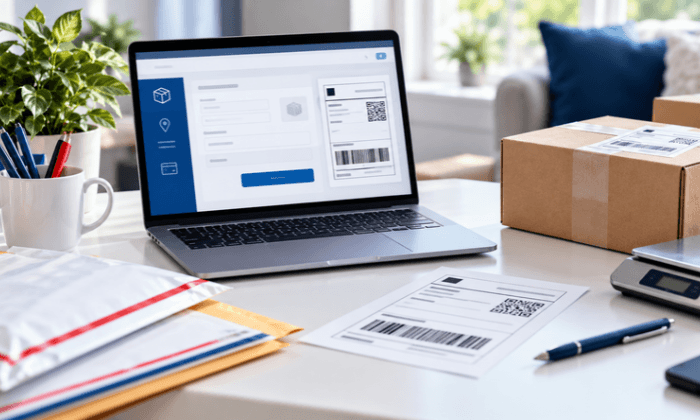
Estimate the onward shipment with the PostScan Mail shipping calculator, then confirm what the quote includes. Add destination charges where applicable and compare the total with direct delivery. A calculator estimate does not book a shipment.
For a date-sensitive gift, allow time for both mailbox preparation and carrier handoff. Use the holiday shipping deadline guide to check the relevant route and service. Carrier dates do not establish the mailbox location’s request cutoff.
Check again before forwarding the parcel
An extra shipment can add cost and complicate a return. Review the order’s return window and any reported damage before forwarding it. Keep packaging and records you may need for a claim or return.
For example, if a parcel reaches your mailbox while you are traveling, the seller’s return window may start with the first delivery. Holding it until your trip ends and then requesting international forwarding could leave too little time to inspect and return it. Check the seller’s terms and receiving arrangements before placing that order.
What to do when a Black Friday order goes wrong
Start with the record for the stage that failed. Keep the order confirmation, product description, delivery promise, tracking details, available photographs, and messages about the problem.
| Problem | First contact | What to confirm |
|---|---|---|
| Seller has not shipped | Seller or marketplace support | Promised dispatch date and cancellation or refund options |
| Tracking says delivered, but the item is missing | Seller, carrier, and receiving location as appropriate | Delivery address, proof of delivery, and who accepted it |
| Item is wrong or damaged | Seller or marketplace support | Evidence, claim deadline, and return instructions |
| Suspected payment or account fraud | Bank, payment provider, or account provider immediately | Steps to secure access and request payment recovery |
For most merchandise ordered online, U.S. rules require shipment within the promised time or, when no time is stated, generally within 30 days. If shipment is delayed, the seller must let the buyer choose to accept the delay or cancel for a full refund. The FTC’s guidance on orders that never arrive explains the rule and dispute options. A dispatch requirement is different from a promised arrival date.
If the seller does not resolve a missing-order charge, contact your payment provider promptly about the applicable process and deadlines. For suspected fraud, report the payment immediately. If you exposed a password, change it through the real account website or app and replace it anywhere else you reused it. Report suspected scams to the FTC.
Complete your checks before you pay
Compare the product, verify the seller, save the return terms, and confirm who will receive the order. Before forwarding, check the item’s status, remaining return time, and total onward cost.
If ongoing package management fits your travel or work schedule, review PostScan Mail’s package forwarding options and confirm the selected location’s rules before sending purchases there.
Access & Manage Your Postal Mail
Anywhere Anytime!
Receive mail anywhere, on any device.
We offer 1000+ mailing addresses for both personal and business use.