Call USPS Customer Care at 1-800-275-8777, also known as 1-800-ASK-USPS, for mail and delivery questions.
Use the tracking, technical-support, or order-support line for issues that fall under that department.
You can also start through the official USPS Contact Us page, which provides online help, support contacts, and a Post Office locator.
Choose the route that matches the problem and keep the reference number for any request you submit.
Table of Contents
USPS Customer Service Phone Numbers and Hours
| Support department | Phone number | Hours in Eastern Time |
| Customer Care | 1-800-275-8777 | Monday–Friday: 8 a.m.–8:30 p.m.
Saturday: 8 a.m.–6 p.m. |
| Domestic and international tracking | 1-800-222-1811 | Monday–Friday: 8 a.m.–8:30 p.m.
Saturday: 8 a.m.–6 p.m. |
| USPS.com Technical Support | 1-800-344-7779 | Monday–Friday: 8 a.m.–8:30 p.m.
Saturday: 8 a.m.–6 p.m. |
| Stamps and Postal Store orders | 1-844-737-7826 | Monday–Friday: 8 a.m.–4:30 p.m.
Closed weekends and postal holidays. |
| Free Shipping Supplies | 1-800-610-8734 | Monday–Friday: 7 a.m.–11 p.m.
Saturday: 7 a.m.–6 p.m. |
Customer Care representatives are unavailable on Sundays and postal holidays; automated information is available 24/7.
Local Post Office hours differ from the national support schedule.
For telecommunications relay assistance, dial 711.
How to Speak with a USPS Representative
Call the department that handles your issue during its staffed hours.
Follow the current prompts for your problem and use the representative option when offered.
Have your shipment or account details ready before you call.
Describe the issue in one sentence, then explain the action you need.
For example, a delivered-but-missing parcel needs a delivery review; a failed online claim form needs technical assistance.
This distinction helps you explain the request if you need a transfer.
Before ending the call, record the case number if one is created, the next step, and any follow-up time USPS gives you. Wait times and resolution times vary.
How to Contact USPS Online or by Email
For general customer-service requests, use the Email Us form reached through USPS’s contact page. Select the topic that matches your issue, such as a package, regular mail service, or a USPS.com problem.
Keep the submission confirmation and any case reference.
When following up, use that reference and describe what has changed since the original request.
Postal Store orders have a separate published email address: sfsdelivery.confirmation@usps.gov.
Use it for that department’s order questions.
For routine delivery issues, start with the customer-service form.
Choose the Contact Route for Your Problem
Tracking Says Delivered, but You Cannot Find the Package
Check the mailbox, parcel locker, household members, building office, and sheltered places where a carrier might leave the item.
In an apartment or condominium, ask management whether it accepted the parcel.
USPS advises submitting a service request for eligible items if the parcel is still missing more than one postal business day after the delivery scan.
Use the package topic in the online form so the local Post Office can review the delivery.
Report what you know: the tracking number, scan date, delivery address, and places you checked.
Avoid assuming why the parcel is missing before USPS reviews it.
Tracking Shows USPS Is Awaiting the Item
A shipping-label-created or shipping-partner status may mean USPS does not yet have the package.
Ask the sender to confirm carrier handoff and provide any acceptance record.
An order confirmation or created label alone does not show USPS possession.
Regular Letter Mail Is Late
Ask the sender to confirm the mailing date, address, and service used.
Ordinary First-Class Mail letters may have no tracking number.
Describe whether one item is missing or mail delivery at the address has become a recurring problem.
Use the mail-service topic in the online form or contact your local Post Office.
The locator on USPS’s contact page provides published facility details and hours.
A USPS.com Account or Online Tool Is Not Working
Use Technical Support for website applications and forms.
Prepare the page address, exact error message, time of the problem, device and browser details, and a screenshot if available.
Distinguish a form that will not submit from a claim decision or delivery complaint.
Describe the failed step so the support request addresses the technical problem.
You Need Help with Stamps or a Supplies Order
Use the Postal Store line for stamp and merchandise orders, and the Free Shipping Supplies line for boxes, envelopes, forms, or a supply-order problem. Keep the order confirmation and order number available.
When to Start a Missing Mail Search
A service request asks USPS to review an issue.
A Missing Mail search provides identifying information to help USPS look for the item.
USPS currently allows Missing Mail search requests starting seven days after mailing.
Follow the Missing Mail instructions and provide the sender and recipient addresses, mailing date, packaging details, contents descriptions, and identifying photos, where available.
A search does not automatically create an insurance claim or postage-refund request.
Check those processes and filing periods separately if they apply to your shipment.
A request to locate an item is different from a request for compensation.
What to Prepare Before Calling or Submitting a Request
- The tracking number or order number, if available.
- Sender and recipient names and complete addresses.
- Mailing date, service used, receipt, and relevant tracking events.
- A description of the problem and the checks already completed.
- Photos, screenshots, or error messages relevant to the issue.
- Any existing case number and the date of the previous contact.
Keep a short contact log.
Record the channel used, the request reference, the response, and the next action.
If tracking changes or the sender supplies new information, add it to that record before following up.
How to Follow Up on an Unresolved USPS Complaint
Start with the existing case reference and ask whether the next step belongs with the local delivery office, a supervisor, or another department.
Explain what remains unresolved and provide any new evidence.
USAGov’s postal complaint guidance recommends speaking with the local station manager and, if the complaint remains unresolved, contacting the relevant USPS Consumer Affairs office.
Its guide outlines the official follow-up routes.
Keep delivery complaints separate from theft or fraud reports.
USAGov directs reports of outside mail theft or fraud to the Postal Inspection Service, and reports of alleged theft, fraud, or waste involving USPS employees or facilities to the USPS Office of Inspector General.
If USPS Delivered to Your Virtual Mailbox
A carrier delivery scan and your mailbox provider’s internal item record are separate events.
Ask the receiving location to confirm receipt and processing before treating an absent dashboard item as a USPS delivery failure.
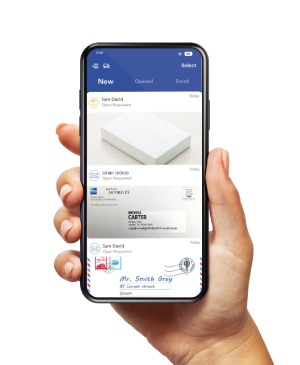
For PostScan Mail, contact your subscribed location about uploads, scans, or handling requests.
If the problem concerns carrier delivery, keep the tracking details and the location’s response together for your USPS request.
Start with the Department That Can Address the Issue
Choose the right contact route, gather supporting details, and keep the case reference.
For a missing item, distinguish a local delivery request from a Missing Mail search, claim, or refund request.
Start on the official USPS contact page and follow up through the channel assigned to your case.
Access & Manage Your Postal Mail
Anywhere Anytime!
Receive mail anywhere, on any device.
We offer 1000+ mailing addresses for both personal and business use.